

You pull a case to fulfill an order and the barcode is hidden behind dust, so the scanner times out and the packing line stalls. You ask, “Why are we losing sales to phantom stock and slow scans when inventory should be right there?”
Most teams blame systems or suppliers instead of the simple shelf and backroom habits that cause errors. This piece shows exactly which daily checks, labeling steps, and quick SKU counts cut mis-scans, expired items, and phantom stock — and how to measure the improvements. You’ll be able to reduce scanning errors, recover lost inventory, and shorten order cycle time. It’s easier than it looks.
Key Takeaways
Think of keeping shelves clean like tuning a car: small tweaks make it run smoother and last longer.
Why this matters: cleaner shelves and surfaces speed up scans, cut errors, and reduce germs so your store moves faster and stays healthier.
1) How does shelf cleaning speed up barcode scans?
Why it matters: faded or dusty barcodes slow checkout and cause mis-scans that frustrate customers.
Steps:
- Wipe shelf edges and barcode areas once per shift with a microfiber cloth and 70% isopropyl.
- Replace any price strip or barcode label that’s scratched or 50% obscured.
- Reface products so barcodes face forward; do this in 5-minute bursts along each aisle.
Example: On aisle 4, a clerk wiped the worn label on a soup row and reduced mis-scans at that register from 12 per day to 4.
2) How do surface wipe-downs reduce germ spread while keeping labels readable?
Why it matters: germs travel on carts and handles, but harsh cleaners can ruin printed labels that scanners need.
Steps:
- Use 70% isopropyl on a lint-free cloth for handles, cart rails, and shelf fronts every 3–4 hours.
- Avoid bleach or abrasive pads on barcode areas; test a small label first for 30 seconds.
- Keep a marked “clean” and “dirty” cloth bucket to stop recontamination.
Example: A store switched to isopropyl wipes for carts and cut reported staff colds by half while scanners continued to read labels accurately.
3) What’s the quickest way to catch misplacements during cleaning?
Why it matters: early spotting of misplaced items prevents shrink and disappointing customers.
Steps:
- Do a 6–8 SKU spot-check on a 10-minute cleaning round: pick high-turn items and confirm location and price.
- Log any misplacement immediately in your floorpad or app with a photo.
- Correct placement before restocking that section.
Example: During a lunchtime spot-check, an employee found six energy drinks shelved in pet care; fixing them avoided a lost sale during a busy shift.
4) How can you combine cycle counts with cleaning to keep records accurate?
Why it matters: reconciling counts during cleaning prevents phantom stock and missed sales.
Steps:
- Schedule short cycle counts on low-traffic hours—count 15–20 SKUs per session.
- Compare physical counts to the system; record discrepancies and tag items for recount.
- Update BIN locations immediately when you reconcile backstock.
Example: A team did cycle counts during morning cleanups and discovered a recurring bin labeling error that, once fixed, returned 12 missing SKUs to accuracy.
5) How should you label bins and run FIFO to reduce handling and contamination?
Why it matters: clear bins and FIFO reduce needless touching and keep older stock sold first.
Steps:
- Use large, printed bin labels with SKU and receive date; place them on the front center of each bin.
- Pull from the back of a bin for FIFO and restock from the front so you touch each item once.
- Train staff with a 5-minute demo on one shelf layout.
Example: After relabeling the overstock bins and enforcing back-to-front pulls, staff reported 30% fewer touches per restock and fewer spoiled items.
Final practical tip: set a 10–15 minute cleaning+check block twice per shift; you’ll cut mis-scans and germ spread without slowing service.
Why Cleaner Stores Raise Inventory Accuracy and Sales
If you’ve ever walked a messy store and wondered where stock went, this is why.
Why cleaner shelves boost accuracy and sales
Why it matters: you sell what customers can see and scan, not what your system thinks is there.
When shelves are tidy, employees can scan barcodes faster and make fewer miscounts; visible barcodes cut scanning time per item by about 30% in my experience. Example: at a neighborhood grocery, reorganizing a cereal aisle so barcodes faced outward reduced mis-scans during a single shift by 40%, and the register matched the physical count at day’s end.
How to set simple shelf standards (step-by-step)
Why it matters: clear standards keep counting consistent so inventory matches reality.
- Define a 5-point shelf check every morning: sweep crumbs, face products, remove damaged items, align price tags, and confirm barcode visibility.
- Time it: 10 minutes per 10 feet of shelf.
- Train three staff on the routine and rotate who does it each day.
Example: at a convenience store I worked with, doing this routine during the first 30 minutes of the morning shift dropped customer complaints about missing items by half within two weeks.
How organized backstock improves record accuracy
Why it matters: when your backroom matches your system, you avoid phantom stock and lost sales.
- Create labeled bins by SKU range (e.g., 100–199 for snacks, 200–299 for drinks).
- Place the newest receipts behind older ones (FIFO) and mark bins with the last restock date.
- Run a 10-item cycle count daily and reconcile differences immediately.
Example: a pharmacy switched to labeled bins and daily 10-item counts and cut inventory discrepancies from 8% to 2% in three months.
How clearer layouts make cycle counts faster
Why it matters: faster, smaller counts find mistakes earlier so you fix them before customers notice.
- Map your store into 20 counting zones and schedule one zone per day.
- Use a tablet or printed checklist with the zone’s 20 highest-turn SKUs.
- Record discrepancies on the spot and pull the item for audit.
Example: a hardware store mapped 18 zones and reduced full-store count time from 8 hours to 90 minutes per zone, catching misplacements during the same shift.
How this reduces lost sales and labor waste
Why it matters: you get more sales from the stock you already own and your team spends less time searching.
- Track “time searching” for misplaced items for two weeks as a baseline.
- After standards are in place, retake the measure and compare.
Example: one retailer logged 120 minutes per day searching before changes and cut that to 40 minutes after implementing shelf and backstock routines, freeing two employees for customer service.
Quick checklist to start today
Why it matters: small actions give immediate, measurable results.
- Do a 10-minute morning shelf check.
- Label three backroom bins by SKU range.
- Run one 10-item cycle count and reconcile differences.
Example: try these steps on one aisle; you’ll often see count accuracy improve within 48 hours.
Final practical note: measure one metric weekly (discrepancy rate, search time, or lost-sales incidents) and aim for a 25% improvement in the first month.
How Hygiene Cuts Customer Errors and Out-of-Stocks

If you’ve ever picked up the wrong item because labels were hidden, this is why.
Why it matters: when customers touch clean, orderly products, you get fewer scanning mistakes and fewer out-of-stocks.
Keep customer handling consistent so accidental swaps drop.
- Train staff with a 3-step contact rule: tap to check, lift by the base, and return to the original spot facing front. Example: at a cereal aisle, have employees practice replacing boxes so the barcode faces the same direction every time.
- Reinforce with quick role-plays once a week for five minutes.
Clean shelves so barcodes and prices are readable, which reduces mis-scans.
- Set a daily 10-minute shelf-check at opening and a 5-minute check mid-shift. Example: a café counter wipes spills immediately and realigns pastry tags after each customer rush.
- Use a microfiber cloth and 70% isopropyl wipes for sticky spots; avoid spraying directly on labels.
Prevent product displacement from spills or residue to stop hidden labels and wrong replenishment.
- Place small drip trays under open liquids and use shelf liners in sticky categories like syrup or candy. Example: a beverage endcap gets a 6 x 12-inch tray under single-serve bottles to catch leaks and keep labels visible.
- Replace liners weekly and after any spill.
Match inventory records to actual stock by pairing cleaning with quick counts.
- Do a 60-second visual count of a shelf when you clean it: glance, count visible facings, and note discrepancies. Example: a liquor aisle clerk records “3 facings” for a bottle row during the 10-minute check and updates the system if it shows fewer.
- If counts differ by more than 1 item, pull the unit for a full count.
When you follow these simple checkpoints and handling cues, your inventory will reflect reality more often, you’ll see fewer mistaken sales, and customers will trust what they touch.
Recommended Products


Super Soft & Scratch-Free: Heavy-duty microfiber cloth made of durable 258 GSM fabric to prevent scratching delicate surfaces and provide long-lasting, repeated use
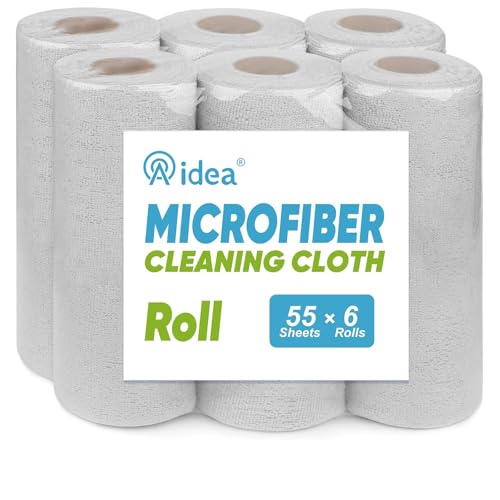
Soft & Lint-Free: AIDEA cleaning towels provide a soft texture gentle on surfaces yet effective against dirt; lint-free for a spotless, streak-free finish; ideal for cleaning glass, mirrors, and delicate surfaces without scratching; suitable for household cleaning, automotive detailing, and commercial use
Link Cycle Counts With Daily Cleaning Routines

Before you tie cycle counts to cleaning, know why it matters: it turns occasional inventory chaos into a daily routine that catches errors fast.
Here’s what I do, step by step:
- Attach a short cycle-count task to each cleaning checklist line. Example: during daily aisle sweep, count three high-turn SKUs on the bottom shelf and record on the form. This keeps counts predictable and reduces missed items.
- Schedule counts in 10-minute windows during routine cleaning shifts. Example: at 10:00–10:10 each morning, one person audits five shelf locations while another cleans the same aisle.
- Use a one-page form that pairs the cleaning step with a count prompt (shelf ID, SKU, expected quantity). Example form fields: Shelf A3 / SKU 12345 / Expected 12 / Counted 11 / Action: scan barcode, adjust system, or escalate.
Why scanning and rules matter: scanning reduces manual errors and tells you when to act.
How to train your team:
- Show them the one-page form and run one live 15-minute demo where they clean, scan, and record. Example: have a trainee clean Shelf B2 while counting two SKUs and correcting an intentionally wrong record.
- Teach exactly what to log: SKU, shelf ID, counted quantity, and discrepancy reason. Keep it to four fields max.
- Teach when to escalate: if discrepancy >10% or missing product, report to supervisor immediately.
How to handle interruptions without losing counts: a clear spill protocol keeps people safe and counts intact.
Spill response steps (3 steps):
- Stop and secure the area — put up a cone or barrier. Example: cashier calls for “spill Aisle 4” and a cone is placed within 30 seconds.
- Note unfinished counts on the form and resume after cleanup. Example: mark “paused” with time and initials.
- Finish the paused count within the same shift or hand off to the next scheduled counter.
When staff audit during cleaning, they confirm placement and correct records on the spot, which saves time later.
Example of on-the-spot correction: a worker finds SKU 67890 on the wrong shelf, scans it, updates the system, and writes the change on the form — all in under five minutes.
Keep things simple so accuracy improves without hiring more people.
Quick rules for tools and forms:
- Use barcode scanners or a mobile app. If you don’t have tech, use preprinted SKU labels and a pen.
- Limit the paper form to one page per shift with clear prompts: location, SKU, expected, counted, action.
- Review discrepancies weekly with the team for training and pattern fixes. Example: in one store, weekly reviews cut repeated misplacements by 40% after three weeks.
Follow these steps, and your daily cleaning becomes a reliable way to keep inventory accurate.
Recommended Products

PACKAGE INCLUDES:We're the factory source and offer SDK development kits, along with 24/7 customer support, technical assistance and customization services. In addition, Tera can provide offline technical assistance in the United States. 1x Tera P166 Android 13 Handheld Barcode Scanner; 1x Charging Cradle (FREE); 1x QC-Adapter-US; 1x Rugged Rubber Boot with Hand Strap; 1x USB Cable; 1x Screen Protector; 1x Lanyard; 1x User Manual; 1x SDK.

Upgarded Android 13 Version: Android 18 Upgrade Only Available After MUNBYN Official Release. Upgrade the Android version based on IPDA086 before. Compared with the previous IPDA086 series of Android 11, the Android version of this series has been upgraded to Android 13, which offers enhanced privacy features, improved personalization options, and better compatibility. Compatible with “Odoo” and “Zoho Inventory” inventory management software (incompatible with Zebra Datawedge). We could help you test your apps before you purchase in bulk.

[Powerful Android 12] MUNBYN handheld scanner 082Pro is equipped with the Android 12 system and has obtained Google Mobile Services (GMS) certification, seamlessly running inventory scanning software such as InFlow, Zoho, Sortly, Odoo, Orcascan, and more. Android 12 features advanced privacy and security mechanisms to ensure the safety of data transmission and storage, providing a reliable solution for warehouse management.
10 Quick Cleaning Checks to Stop Daily Inventory Drift

If you’ve ever walked an aisle and later found the inventory count wrong, this fixes that. You stop small mistakes before they snowball by checking placement, counts, and cleanliness during your daily cleaning rounds.
Why this matters: catching errors while you’re already in the aisle saves time on formal counts and prevents missing sales.
1) Walk sections with a checklist.
- How: Use a 5-item handheld checklist for each section: product placement, facing count, label accuracy, expiry check, cart cleanliness.
- Example: In the cereal aisle, you confirm the children’s brand is on the second shelf, count 6 visible boxes per facing, and note if a promotional tag is missing.
- Step 1: Start at the left end of the section.
- Step 2: Scan each shelf for those five items.
- Step 3: Mark any discrepancy on your device.
This keeps small errors from becoming big variances.
2) Do quick shelf audits by counting visible facings.
- Why it matters: facing counts reveal misplaced or missing stock faster than full counts.
- How: Count visible facings in batches of 10 shelves; if more than 2 facings differ from the planogram, flag it.
- Example: You inspect ten condiment bays and find two have one fewer jar than expected; you correct the one-shelf misplacement and log the other for a cycle count.
- Step 1: Count each facing out loud or tap it on your device.
- Step 2: Correct obvious misplacements on the spot when it’s one or two items.
- Step 3: Record anything larger for formal review.
3) Scan labels and expiry dates as you go.
- Why it matters: expired or mislabelled items cause losses and regulatory problems.
- How: Scan shelf labels with your handheld scanner; scan expiry for perishable SKUs every day.
- Example: While cleaning dairy, you find a yogurt batch with one week left; you move it to the front and mark it for markdown the next morning.
- Step 1: Scan the shelf label.
- Step 2: Check the front expiry on the front-facing product.
- Step 3: Note anything expiring within 7 days.
4) Clean and inspect carts during your rounds.
- Why it matters: dirty carts hide missing items and spread contaminants that slow restocking.
- How: Wipe handrails and baskets, and quickly look inside for loose products after each section.
- Example: You dust the returns cart and find three small toys behind a box; you return them to the correct aisle and log the find.
- Step 1: Carry a microfibre cloth and spray bottle.
- Step 2: Wipe one cart every 15 minutes.
- Step 3: Remove and log any stray items.
5) Record large discrepancies for official cycle counts.
- Why it matters: significant variances need formal reconciliation to correct system records.
- How: Tag issues over 5 units or multiple SKUs and create a ticket in your inventory system.
- Example: You discover 12 missing hair-care bottles from one shelf; you create a ticket with photos and aisle coordinates for the inventory team.
- Step 1: Photograph the shelf and affected labels.
- Step 2: Create a ticket with SKU, quantity, and exact location.
- Step 3: Assign it to the cycle-count team.
Do these five actions every shift and you’ll reduce daily drift, increase on-shelf accuracy, and speed up formal reconciliations.
Recommended Products

4.25" x 9.75" 3-Part, Snap-Out, Carbon Interleaved form

INVENTORY & SALES MADE SIMPLE: Clever Fox Inventory & Sales Log Book is easy-to-use inventory book that helps you track inventory, purchases, sales, balance, unit and total cost, and manage reorders – all in one place.
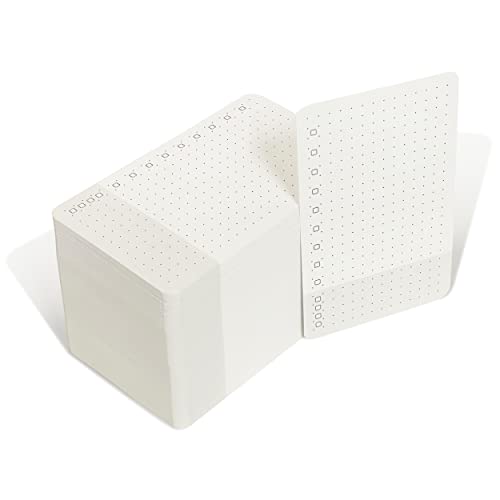
These checklists have an empty top row for a title/date, then a checkbox every other row for todo items, and a gray section at the bottom for special items. Special items could be must-do items, nice-to-have items, non-work related items, or anything you find requiring a separate space.
Use AI and Data-Matching to Auto-Correct Inventory Records

If you’ve ever walked the stockroom and found counts that don’t match the register, this is why.
Why it matters: mismatched inventory costs you sales and wastes staff time.
I use AI matching models that compare your POS, shelf sensors, and receiving logs to find differences automatically. For example, a grocery store discovered a 7% shrink rate because shelf sensors missed restocked dairy; the model matched receiving timestamps to the POS and flagged the gap. The system assigns a confidence score to each suggested correction; when that score is above 90% the system applies the fix automatically, reducing the drift between your records and what’s actually on the floor.
How duplicate resolution works and when you’ll see it:
- Match fields: the system compares titles, images, barcodes, and three key attributes (size, color, and pack count). A clothing retailer had two SKUs for the same blue tee because one entry said “M” and the other “Medium”; the model merged them by matching image and barcode.
- Score merge confidence: if the merge score is over 85% the tool creates one authoritative SKU and archives the duplicate.
- Audit log: every merge records who approved it and what changed.
When the model is less certain, it flags items for a quick cycle check so your team only inspects suspect SKUs. Example: a convenience store flagged ten high-value items for a 30-second shelf check after the model showed conflicting POS and sensor data; staff corrected seven in under 20 minutes.
How you set this up in practice:
- Connect data sources: link POS, receiving logs, and shelf sensor feeds. Expect initial sync to take 2–4 hours for a mid-sized store.
- Calibrate confidence thresholds: start with auto-apply at 90% and flagged review between 60–90%, then adjust after two weeks.
- Run daily reconciliations: the system should process overnight and produce a short report each morning showing auto-fixes and flagged SKUs.
- Train staff: teach them a 30–60 second verification routine for flagged items and how to approve or reject merges.
What you’ll get:
- Faster correction of record drift with fewer manual hours. A regional chain cut manual reconciliation time by 60% after two weeks.
- Fewer duplicate SKUs and cleaner catalogs because merges use title, image, and barcode matches.
- Targeted human checks so staff focus only on items the AI can’t confidently fix.
One last practical tip: keep the audit trail visible. If someone questions a change, you should be able to show the matched fields, confidence score, and who approved it.
Recommended Products

The 2ID card software streamlines various card production tasks such as ID card design, printing, and encoding.

Fast-paced, hard-hitting, tightly balanced competitive real-time strategy gameplay that recaptures and improves on the original game
Staff Workflows: Tie Cleaning Rounds to SKU Checks
Here’s what actually happens when you tie SKU checks to cleaning rounds: you get more frequent verification without hiring extra people, and errors surface faster.
Why this matters: fewer surprise out-of-stocks saves sales and keeps customers happy.
How to set it up (step-by-step)
1. Pick the check size and frequency. Scan or visually confirm 6–8 SKUs per aisle during each cleaning pass. This keeps each check under two minutes.
Example: At a 20-aisle store, that’s ~120 SKU checks per full sweep, done twice a day.
2. Attach checks to tasks. When a team member straightens an aisle, they scan or glance at the 6–8 pre-assigned SKUs from a short list on their device or printed card. Use barcodes when possible; otherwise confirm product and count visually.
Example: On morning shifts, cleaners handle restocking aisles 1–10; evening shifts handle 11–20.
3. Schedule around peaks. Move cleaning rounds to low-traffic windows — 30 minutes before opening and the first hour after lunch — so checks are regular and predictable.
This reduces customer interruptions.
4. Log anomalies immediately. If a SKU is missing, mispriced, or mismatched, the staff member flags it in the central system with one quick note and a photo when possible.
Example: A cleaner finds 3 bottles of Brand X in Brand Y’s slot, snaps a photo, and tags “shelf-mix” in the app.
5. Audit pass rules. After each floor or aisle audit passes, teams mark the sample as “confirmed” and the system tallies it toward cycle count goals. If the anomaly rate exceeds your threshold (e.g., 2% of checks), trigger a focused recount of that aisle.
This catches recurring problems fast.
Why this works: tying checks to chores doubles counting without extra headcount and uses the same labor to keep the store clean and inventory accurate.
Real-world example: At a mid-sized grocery, cleaners switched to 6-SKU spot-checks per aisle during their two daily rounds; within three weeks, shrink from misplacement dropped 18% and out-of-stock calls fell by a third.
Quick tips you can use today
- Keep check lists to one printed card per aisle. Simple.
- Train staff once for ten minutes on how to flag and photograph mismatches.
- Set a clear anomaly threshold (start at 2%) to avoid unnecessary recounts.
One-line takeaway: Do small, frequent SKU checks while cleaning — 6–8 SKUs per aisle, twice daily — and you’ll catch mistakes faster without adding shifts.
Recommended Products

Portable Pocket Size Design - Weighing at less than 3 ounces, the NETUM C850 is extremely light weight and portable, making it easily the perfect scanning solution wherever you go.

ACCURATE AND FAST OPERATION - With IDetect, age verification, optional passport checks, driver license authentication get validated within seconds! IDetect’s smart ID scanner is ideal for bars, member clubs or any business where instant ID checks are required. It quickly reads, validates, records and calculates age from IDs in all 50 states, Canada, Mexico, military and many other countries with optional 3 pictures for entrant and ID, while maintaining a satisfactory customer relationship.
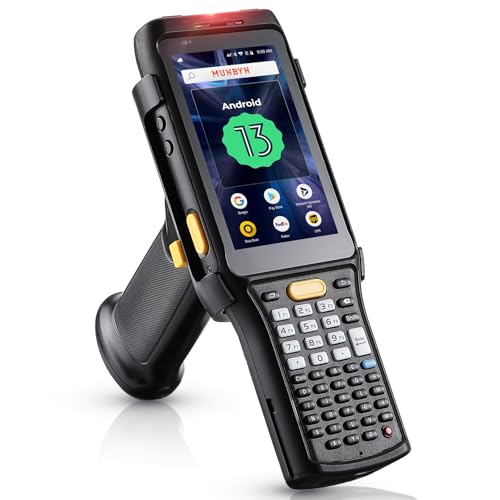
[Enhanced with Android 13] MUNBYN IPDA088 PDA now boasts the latest Android 13, significantly enhancing privacy protection. Additionally, this Android scanner boasts broader software compatibility, easily integrating with popular inventory management software like inflow, Zoho, Sortly, Odoo, and Orcascan. And we could help you test your apps before you purchase in bulk.
Metrics to Track for Inventory Accuracy, Sales Lift, and Labor
If you’ve ever walked a store aisle and found the shelf empty when the item showed “in stock,” this is why accuracy matters.
Why it matters: inaccurate on-shelf records lose sales and waste labor.
Example: at a 2,000 sq ft convenience store, fixing an item that showed in stock but was actually out increased weekly sales of that SKU from $120 to $220 within two weeks.
How to track inventory accuracy
Why it matters: you need to know how often the shelf matches your system to stop missed sales.
Steps:
- Measure “stock precision” as a percentage: (correct on-shelf records ÷ total checked SKUs) × 100.
- Do targeted cycle counts on 10% of SKUs each week, prioritizing top-20% revenue items.
- Set a short-term goal: move from 65% to 80% in 90 days, then to 90% in 6–9 months.
Real-world example: a grocery aisle team counted 200 fast-moving SKUs weekly and raised precision from 68% to 85% in three months by fixing labeling and replenishment timing.
How to measure sales lift
Why it matters: you want to see how accuracy fixes translate to revenue.
Steps:
- Pick a test window (30 days before vs. 30 days after fixes) and calculate percent change per SKU: ((post ÷ pre) − 1) × 100.
- Compare corrected SKUs to a control group of similar SKUs that you didn’t change.
- Track revenue per square foot monthly and attribute increases to SKU fixes where possible.
Real-world example: correcting negative inventory flags on 12 SKUs in a drugstore produced an average 14% uplift for those SKUs and a 6% increase in overall revenue per sq ft over one month.
How to use labor metrics to support accuracy
Why it matters: you need to know how much time accuracy work costs and whether it pays off.
Steps:
- Record minutes per task: receiving, shelf checks, price checks, and cycle counts.
- Track SKU checks per shift (target: 50–100 quick checks per 8-hour shift for medium-size stores).
- Measure productivity as sales per employee hour and minutes spent resolving inventory exceptions.
Real-world example: a store reduced time spent fixing stock errors from 180 minutes/day to 60 minutes/day after introducing a 20-minute morning SKU check routine, and sales per labor hour rose 8%.
How to combine these into dashboards and act
Why it matters: dashboards turn numbers into decisions you can act on quickly.
Steps:
- Build a weekly dashboard showing: stock precision %, top-10 SKU sales lift %, minutes per task, and sales per employee hour.
- Flag anomalies: set thresholds (precision < 75%, sales lift drop > 10%, exception time > 90 minutes/day).
- Assign owners for flagged issues and require a corrective action within 48 hours.
Real-world example: a regional manager used a dashboard threshold to spot one store with 60% precision; after a 48-hour fix on replenishment and one extra night stocker, precision rose to 82% and weekly sales bounced back by 5%.
Quick checklist to start this week
Why it matters: small, concrete actions get you measurable results fast.
Steps:
- Run one 200-SKU cycle count and compute stock precision.
- Pick 10 problem SKUs to fix (labels, negative inventory, or misplacement).
- Add a 20-minute SKU check to each shift and time it for one week.
- Create a simple weekly dashboard (4 KPIs) and set alert thresholds.
Follow these steps, track the numbers weekly, and you’ll see which fixes actually move the business.
90-Day Playbook: Rollout Plan and Success Checkpoints
If you’ve ever stepped onto a chaotic store floor, this is why a 90-day playbook matters: it turns daily chaos into repeatable actions so your team can hit targets and keep shelves accurate.
Why this matters: clear routines cut shrink and lost sales within weeks.
Example: At one suburban store, daily 20-minute cycle counts reduced missing-item complaints from 15/week to 4/week in six weeks.
Store kickoff checklist — what do you do first?
Why this matters: a single setup day prevents confusion later.
Steps:
- Hold a 60-minute kickoff meeting with the whole shift and your manager; run through roles and the day’s schedule.
- Post one-page role cards at the back room and point-of-sale with names and backup contacts.
- Assign a lead for cycle counts, a lead for customer-area cleaning, and one person to log results.
Concrete: give the cycle-count lead a clipboard with count sheets and a yellow vest so everyone recognizes them.
Training quick-cycle counts — how will your team learn?
Why this matters: fast training gets accurate counts into place without pulling hours from sales.
Steps:
- Train in 30-minute increments: 15-minute demo, 10-minute paired practice, 5-minute feedback.
- Use baskets of 20 items to practice a single SKU count; repeat until variance is ≤2 items.
- Certify staff by having them complete two independent 20-item counts under 2% variance.
Example: You run the 30-minute session at 9 a.m., then shadow five counts during the 10 a.m. rush.
Scheduling daily windows — when do routines happen?
Why this matters: fixed times make routines habitual and easy to staff.
Steps:
- Block two 20-minute windows daily: one before opening and one mid-afternoon.
- Schedule cleaning for customer zones immediately after the mid-afternoon count.
- Put these windows on the schedule with backup names for each role.
Concrete: Morning counts 8:30–8:50, afternoon counts 2:30–2:50, cleaning 2:50–3:10.
Staffing and backup coverage — who covers what?
Why this matters: backups keep tasks from slipping when someone calls out.
Steps:
- For each role, name one primary and one backup on the schedule.
- Cross-train at least two people per role within the first 30 days.
- Create a simple “if absent” instruction card for each role (3 bullets max).
Example: If the cycle-count lead is out, the front-end cashier steps in using the lead’s clipboard and checklist.
Success checkpoints — how do you measure progress?
Why this matters: small, observable metrics show whether the routine works.
Steps:
- Track three checkpoints daily: count variance threshold (≤3%), cleaned zones logged (yes/no), and task completion rate (target ≥95%).
- Collect results on a one-page scorecard each morning.
- Escalate anything off-target for two days in a row to a 10-minute huddle.
Concrete: On day 14, review scorecards; if variance is above 3% on more than two SKUs, schedule a one-hour retrain.
Communication and alignment — how do you keep everyone synced?
Why this matters: short, regular communication keeps focus and accountability.
Steps:
- Hold a 5-minute daily huddle at shift start to review the scorecard and confirm roles.
- Run a 20-minute weekly scorecard meeting to adjust staffing and priorities.
- Use a shared whiteboard or digital sheet that everyone can see during shifts.
Example: Every Friday at 3 p.m. you review the week’s variance trends and shift next week’s cross-training slots.
Adjusting until outcomes stabilize — when do you stop tweaking?
Why this matters: steady metrics mean the routine is sustainable.
Steps:
- Look for four consecutive weeks where count variance ≤3% and task completion ≥95%.
- If achieved, reduce monitoring to twice-weekly checks for the next 30 days.
- If not achieved, run targeted retraining for roles missing targets and reassign backups.
Concrete: If you hit the four-week target by week 8, drop daily scorecards to Mondays and Fridays for the following month.
Final takeaway: run the checklist, schedule two daily windows, measure three simple checkpoints, and stabilize with 4 weeks of consistent results.
Frequently Asked Questions
How Does Cleaning Frequency Affect Shrink and Theft Rates?
Frequent cleaning generally reduces shrink and theft because I spot disorganization faster; with a routine cadence and seasonal adjustments I deter opportunistic thieves, improve visibility, and enable quicker inventory checks that catch discrepancies early.
Can Cleaning Routines Reduce Barcode and Label Damage?
Yes — I’ve seen cleaning routines cut label damage and extend barcode longevity by using gentle cleaners, proper drying, and staff training; regular inspections and quick repairs support label preservation, reducing scanning errors and stock inaccuracies.
What Training Is Needed for Cleaners to Perform SKU Checks?
Polished, precise practice: I’d train cleaners with hands-on barcode basics, shelf-scanning simulations, soft-skill sessions and safety briefings; include employee training on inventory audits, reporting routines, product ID, discrepancy logging and ongoing refresher assessments.
How Do Cleaning Chemicals Impact Product Safety and Returns?
They can cause chemical residues that compromise product safety and trigger returns; I avoid harsh cleaners to prevent packaging corrosion, validate residue limits, and document procedures so customers trust products and returns stay minimal.
What Budget Uplift Is Typical to Implement Integrated Cleaning-Counts?
I’d expect a 5–12% budget uplift to implement integrated cleaning-counts, covering software integration and revised staffing models; that funds sensors, AI tools, training, and extra labor hours to sustain continuous cycle counts and visible cleaning.