


You’re standing over a workpiece, feeling the router kick and thinking, “Did I clamp that right or is the collet loose?” You need to know whether the problem is setup, speed, or dust buildup — fast, actionable answers you can use right now.
Most people assume a quick visual check is enough or they blame the bit rather than checking clamping, RPM, and extraction together. This intro will show you clear, repeatable checks and short routines that stop kickback, vibration, and burns, and get your cutter running reliably without downtime.
It’s simpler than it looks.
Key Takeaways
If you’ve ever watched a router kick or a bit grab, this is why.
Frequent close-contact use and high speeds make router work risky, so you care about avoiding serious injuries. When you run a 1/4″ straight bit at 18,000–24,000 RPM in one hand and a small workpiece in the other, a grab can fling the piece and cut skin; clamp the workpiece with two 3″ clamps before cutting to stop that.
Shared small-shop incidents and viral videos spike awareness and drive demand for practical guidance because you see what can happen. A TikTok showing a crown molding job gone wrong prompts questions the next day; you’ll want step-by-step checks like confirming bit tightness and setting fences before you start.
Simple, actionable tips cut error rates quickly, so you want clear steps you can follow.
- Inspect the bit visually for chips or wobble; hold the collet and spin the bit by hand to feel play.
- Clamp the workpiece with two clamps and use a sacrificial fence when edge-routing.
- Feed against rotation at 2–6 feet per minute for clean cuts.
These three steps reduce tear-out and kickback on common cuts.
Limited dust control and noisy shops make PPE and extraction advice directly useful for your daily health. One real case: a neighbor who routed MDF without extraction developed coughing fits; after adding a 1,000–1,200 CFM dust extractor and a pleated filter, the dust level dropped visibly and his cough stopped. Wear an N95 or P100 respirator when routing MDF and run a 1,000 CFM extractor near the bit to capture dust.
Costly mistakes from dull or loose bits and poor setup cost you materials and time, so prevention pays. A 1/4″ bit that’s rounded after 10–15 linear feet of cutting will burn edges and cause tear-out; replace or sharpen bits after that mileage, and check collet torque to 20–25 in-lbs before each session to avoid wobble.
Router Safety: 5 Actions to Do Right Now
Before you start routing, you need to know one thing: router safety keeps you alive and your work clean.
1) How do you clamp the workpiece so it won’t move?
Why it matters: a loose board can kick back and slam into you.
Steps:
- Place two parallel clamps, one near each end, 2–4 inches from the cut line.
- Use a sacrificial fence or scrap clamped to the table edge to prevent tear-out.
- Test by trying to wiggle the board with one hand; it should not move.
Real-world example: clamp a 24-inch pine shelf at both ends with 4″ F-clamps, then run your hand along the edge to confirm there’s zero play.
2) How do you inspect bits before use?
Why it matters: a cracked or loose bit causes vibration and ruined cuts.
Steps:
- Visually check the carbide for chips or hairline cracks under bright light.
- Measure the shank with calipers; it should match the collet within 0.01″ and be clean of debris.
- Spin the bit by hand in the collet to feel for wobble before powering the router.
Real-world example: before a cabinet groove, hold a 1/2″ straight bit up to a shop lamp and rotate it; any light flashing across the cutting edge means a chip.
3) What speed should you run for a given bit and material?
Why it matters: wrong RPMs burn the wood or snap the cutter.
Steps:
- Use this starting guide: 1″ and larger bits — 8,000–12,000 RPM; 1/2″ to 1″ — 14,000–18,000 RPM; under 1/2″ — 18,000–24,000 RPM.
- For hardwoods, reduce RPM by ~2,000 from the guide; for plastics, reduce by ~5,000.
- Do a 1″ test cut on scrap and look for burn marks or tear-out; adjust RPM accordingly.
Real-world example: cutting oak with a 3/4″ roundover, set the router to 12,000 RPM, then test on a scrap and lower by 1,000 RPM if you see browning.
4) How do you set up dust extraction properly?
Why it matters: dust hides lines and damages lungs.
Steps:
- Attach a 2–1/2″ hose to a port at the router base or to a shroud that surrounds the bit.
- Run the extractor at full suction during the cut and open the dust collector bag for better airflow.
- Sweep the work and vacuum the fence after each pass; never rely on one big clean-up at the end.
Real-world example: routing MDF panels with a shroud and 2–1/2″ hose hooked to a 1.75 HP shop vac reduced airborne dust within two passes.
5) What protective gear should you wear?
Why it matters: flying chips and loud routers injure eyes and hearing.
Steps:
- Wear certified safety glasses with side shields every cut.
- Use over-ear muffs rated NRR 25–30 dB; combine with foam plugs if noise exceeds 95 dB.
- Wear a dust mask (N95) when extraction is limited.
Real-world example: while trimming cabinet doors, wearing N95 plus muffs prevented eye irritation and left my ears unringing after an hour of work.
Bit of final advice: make these five checks part of your routine — clamp, inspect, set speed, extract dust, protect yourself — and you’ll reduce surprises and improve every cut.
Router Safety: Handheld and Table Best Practices
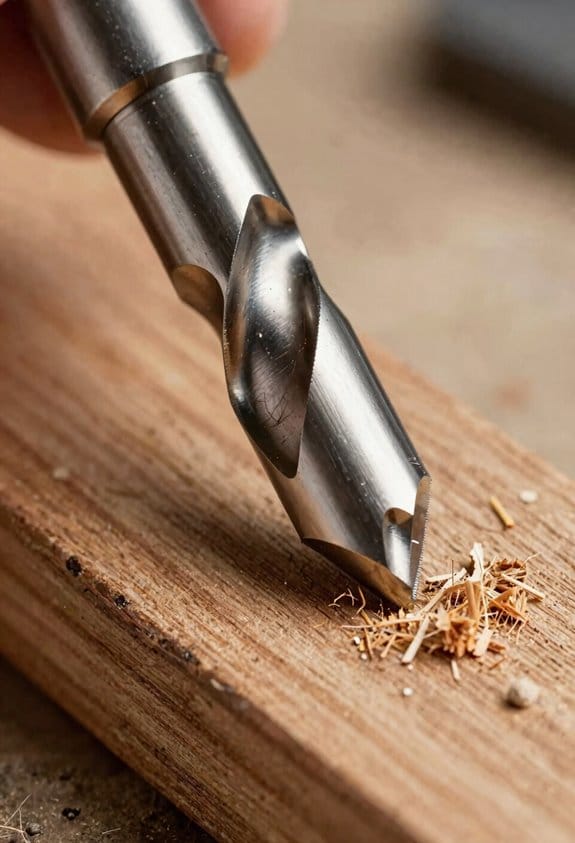
Before you start routing, know why this matters: mistakes with a router can kick back, burn wood, or injure you.
Here’s what actually happens when you use handheld routers versus table-mounted routers: they behave differently and you need different habits for each.
Handheld router safety — what to check and how to work
Why this matters: handheld routers are easier to lift and twist, which raises risk of kickback.
1) Bit maintenance (3 quick checks)
- Inspect the edge with a loupe or good light; if you see chips or rounded corners replace the bit.
- Tighten the collet to 20–25 ft·lb (or follow your router’s manual) so the bit can’t slip.
- Clean the shank with a rag and isopropyl alcohol before inserting; debris reduces grip.
Example: I replaced a slightly rounded flush-trim bit after a 1/4″ tearout showed up on hardwood; sanding wouldn’t hide it.
2) Cutting technique (3 steps)
- Set your depth to no more than 1/16″–1/8″ per pass on hardwood; take multiple passes for deeper profiles.
- Use a two-handed grip: one hand on the base, one on the motor body, and keep thumbs around the tool for control.
- Feed the router against the bit’s rotation (normally left to right on the edge) at a steady pace.
3) Workpiece control
- Clamp the piece to the bench with two clamps so the router can’t lift the stock.
- Use a sacrificial fence or guide if you’re routing small parts.
Example: When trimming a warped oak shelf, I clamped it across two bench dogs and made three 1/16″ passes to avoid tearout.
Router table safety — setup and safe motions
Why this matters: the table fixes the router and the stock moves, so your fingers get closer to spinning bits.
1) Setup checklist (numbered)
- Install the bit and verify height by checking from below with a ruler; measure to the cutter tip and lock the spindle.
- Fit a fence and align it within 1/32″ of parallel to the bit for straight cuts.
- Add a featherboard on the infeed and outfeed side and mount a push block for any cut that brings your hands within 4″ of the bit.
Example: While raising a raised panel bit for a cabinet door, I used a 1/8″ feeler gauge under the fence to get alignment within tolerance and avoided a crooked profile.
2) Table operation steps
- Run the router at the recommended RPM for the bit diameter (consult the bit chart; e.g., 1/2″ bit ~18,000–24,000 RPM, 2″ panel bit ~8,000–12,000 RPM).
- Make test cuts on scrap of the same thickness until the profile is perfect.
- Always use a push stick or push block; never let your fingers be closer than 4″ to the cutter.
3) Ergonomics and vibration control
- Set table height so your forearms are roughly parallel to the table; this reduces fatigue and keeps feed steady.
- Put a 1/4″ anti-vibration mat under the table legs to cut resonance.
Example: I raised my table 2″ for shoulder-level work and swapped to an anti-vibe mat; longer sessions stopped giving me a numb hand.
Tool care and repeatable checks
Why this matters: consistent prep prevents surprises and keeps cuts predictable.
1) Daily checklist (3 items)
- Blow out dust from the motor vents with compressed air and wipe the base plate.
- Inspect the power cord and switch — look for cracks or sticky triggers.
- Record bit hours and replace bits after about 8–12 hours of hardwood use or at the first sign of burn.
Example: After 10 hours on maple, I swapped the profile bit and avoided burn marks on the next cabinet run.
Final practical tips you can use right away
Why this matters: small habits save time and reduce risk.
- Always make a scrap test cut before your actual piece; measure the result with calipers.
- Keep a small “routing kit” with a torque wrench, spare collets, a 0.001″ feeler gauge, and a push block.
- If a bit starts smoking, stop immediately, raise the depth, and clean the bit or replace it.
Example: I keep that kit in a hanging bin next to my router table; when a job changes, I can swap bits and reset in under five minutes.
Critical note: never bypass guards or featherboards to speed a cut.
Recommended Products

Makita-built Brushless motor delivers faster and more accurate cuts in a variety of materials

OPTIMAL PERFORMANCE AND PORTABILITY: With the best power-to-size ratio in its class

TRIGGER-CONTROL SYSTEM: Trigger power switch located in handle for enhanced control
Onboard New Workers: 30‑Minute Router Safety Plan
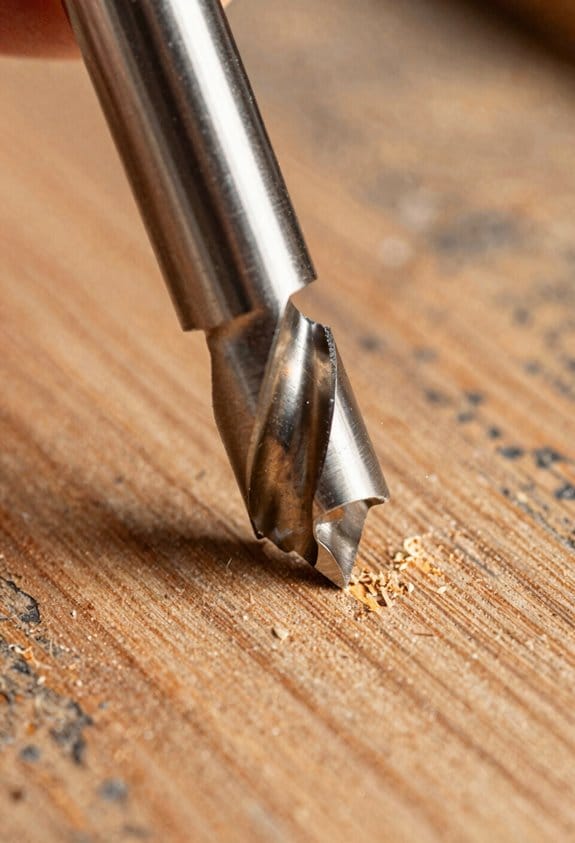
Before you run a router with a new worker, you need to know one quick fact: mistakes at the table happen fast and injury follows in seconds. I keep the intro to 30 minutes so you get the essentials without overload.
1) What to have before you start (orientation checklist)
Why it matters: being prepared stops last-minute unsafe shortcuts.
Steps:
- Put on PPE: eye protection, hearing protection, a snug dust mask, and no loose clothing — wear gloves only for handling stock, not while routing.
- Find the emergency stops: point to the shop’s main cut‑off and the router’s switch; show them where the cord exits the router.
- Identify basic controls: on/off, variable speed dial (if present), and collet wrench.
Example: show them a Pilate‑style plunge router, point to the red switch and the speed dial set to 18,000 rpm.
2) How to set up the router safely
Why it matters: correct setup prevents kickback and burns, which ruin parts and can injure you.
Steps:
- Unplug the router before changing bits.
- Use the correct collet size for the bit shank; tighten the collet until the bit doesn’t wiggle but don’t overtighten.
- Check bit sharpness; a dull 1/4″ straight bit needs replacing.
Example: swap a burned MDF edge for a fresh 1/4″ carbide straight bit and show the cleaner cut.
3) How to change bits and secure the fence
Why it matters: loose bits or a shifted fence will throw stock and cause accidents.
Steps:
- Unplug, loosen the collet with the wrench, insert the bit until 3–6 mm of shank sits in the collet, then tighten.
- Clamp the fence firmly: use two clamps, one at each end, and try to move it with your hand — it shouldn’t budge.
Example: demonstrate on a table router fence, tighten two F‑clamps, then push on the fence to prove stability.
4) How to feed stock and maintain posture
Why it matters: feed direction and body position control the cut and protect your hands.
Steps:
- Feed against the rotation of the bit (counter‑rotation feed) for a controlled cut.
- Keep both hands on the stock or push block; never reach toward the spinning bit.
- Stand to the side of the cut line, not directly behind it, and use featherboards for thin stock.
Example: route a 3/4″ pine edge while standing to the left of the cut, using a push block to keep your hands 6–12 inches from the bit.
5) Mentor shadowing
Why it matters: watching and copying an experienced operator teaches muscle memory faster than talk.
Steps:
- Pair the new worker with an experienced operator for a 60‑minute shift: 15 minutes observation, 30 minutes guided practice, 15 minutes independent with supervision.
- Have the mentor correct feed rate and posture in real time.
Example: shadow a journeyman routing a dado; the mentor calls out “slower” and “keep left hand on the stock” while the new worker follows.
6) Common hazards and reporting
Why it matters: knowing hazards and reporting quickly reduces risk for everyone.
Steps:
- Point out hazards: kickback, loose clothing, dull bits, and clogged dust collection.
- If you see a hazard, pull the nearest emergency stop, tag the machine, and report to the supervisor within 10 minutes.
Example: if a bit shatters, stop the machine, clear bystanders, put on a face shield, and report the incident.
7) Quick comprehension check and follow‑up
Why it matters: a short test proves readiness and ensures practice is scheduled.
Steps:
- Ask two questions: “Where is the router’s emergency stop?” and “Which way do you feed relative to the bit rotation?”
- Schedule a 1‑hour follow‑up practice within seven days.
Example: mark the follow‑up on the calendar and have the trainee demonstrate a clean 1/8″ rabbet cut without prompting.
Keep this plan visible: tape the checklist near the router and use it every time you sign someone on.
Mobile Safety Forms That Actually Get Used

Here’s what actually happens when you hand a crew a long form on a phone: they skip it or fill it poorly.
Why this matters: if your forms aren’t used, you won’t have reliable safety records.
1) How do you design checklists your crew will actually use?
Why this matters: simple forms reduce time on site and increase completion rates.
Steps:
- Break every task into a single action (for example: “Lock out main breaker,” not “Perform lockout procedure”).
- Use large tap targets — buttons at least 44×44 pixels — so folks can tap with gloves on.
- Write items in simple, direct language and limit each field to 20 words or fewer.
Short example: on a roof job, the checklist shows “Anchor harness to point A” as one line with a photo spot.
End detail: aim for 6–10 checklist items per screen.
2) What UI tricks stop people from scrolling past irrelevant items?
Why this matters: hiding irrelevant steps keeps forms short and focused.
Steps:
- Add conditional logic so the app shows only applicable steps (for example: show “Gas valve closed” only if gas is present).
- Use collapsible sections for optional checks so the main flow stays visible.
Real-world example: during vehicle maintenance, if there’s no hydraulic system, the hydraulic checks never appear.
End detail: test conditions with three common job types before rollout.
3) How do you handle no‑Wi‑Fi situations?
Why this matters: crews must be able to complete reports regardless of connectivity.
Steps:
- Support offline form completion and local storage on the device.
- Implement automatic sync so completed forms upload when the device reconnects.
Example: a field tech finishes a 5-minute inspection app in an underground vault and it syncs when they reach the truck.
End detail: keep offline cache for at least 72 hours.
4) What fields actually create useful records without wasting time?
Why this matters: concise, relevant fields give you usable data and save typing.
Steps:
- Make mandatory fields short — use drop-downs, toggles, and radio buttons instead of open text when possible.
- Require a photo attachment for any failed item and auto-capture a timestamp and GPS coordinate.
- Limit free-text notes to one field of 140 characters.
Example: after a failed safety check, the worker snaps a photo, taps “Fail,” and the app auto-logs time and location.
End detail: auto-fill crew names from device login.
5) How should you train the crew so they actually use the tool?
Why this matters: training reduces errors and speeds adoption.
Steps:
- Run a 30-minute hands-on session with each crew, using two real job examples.
- Give a one-page quick reference with screenshots of the main workflow.
Real-world example: day one, you walk a team through an equipment start-up checklist on their own phones while they perform the task.
End detail: follow up after one week with a 15-minute refresher.
6) How do you keep improving the forms?
Why this matters: iterating from real use makes forms more effective over time.
Steps:
1. Collect feedback after 2 weeks from a sample of 5 users on each crew.
2. Audit completion patterns weekly and fix any steps with >20% skips or late completes.
Example: you find a photo step skipped 30% of the time, so you replace the camera button with one-tap capture.
End detail: schedule quarterly reviews of form flow.
Make these changes and your tool will support safe work instead of being more paperwork that gets ignored.
Low‑Cost Safety Fixes That Reduce Downtime
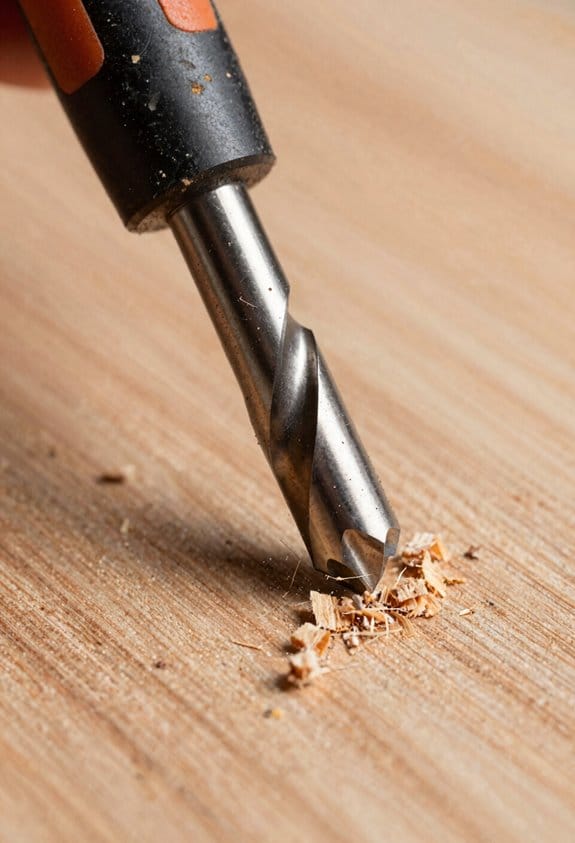
If you’ve ever had a job stop for a simple part, this is why.
You need regular preventive maintenance because worn parts stop work fast. Do these three checks weekly: 1) inspect collets and tool holders for nicks or looseness, 2) check bearings by spinning wheels and listening for roughness, 3) verify guards and shields aren’t cracked or bent. Example: on a CNC router, a loose collet let a bit slip and ruined a 6‑hour production run; a quick weekly check would have spotted the wear.
Why catching brush and fastener wear matters: worn brushes and loose bolts cause sudden tool shutdowns that cost hours. Replace motor brushes when they’re under 50% length left, and torque critical fasteners to the manufacturer spec—usually 15–30 ft·lb for mid‑size tool mounts; use a torque wrench. Example: we replaced worn grinder brushes on one machine and cut unplanned stops from three per month to zero.
Vibration ruins parts and slows you. Put 10–20 mm foam or rubber pads under machine feet to cut vibration and keep fasteners from backing out. If a spindle vibrates, add one 10 mm neoprene pad per foot and check runout after install. Example: adding pads under a lathe reduced bearing temperature by 8°C on the first shift.
You want guards that protect without slowing you. Install clear polycarbonate guards and wooden push blocks for table saws and jointers so operators keep hands 100–150 mm away while maintaining feed speed. Mount guards with quick‑release pins for fast access when you need to change tools. Example: swapping to clear guards on a panel saw stopped a hand‑nearcut incident and kept cycle times steady.
Why daily walkarounds pay off: small problems give big warnings if you look for them. Train your crew to do a 3‑point walkaround every shift: 1) look for leaks or fluid on the floor, 2) listen for unusual noises for 10 seconds at each machine, 3) gently wiggle fasteners and toolholders for play. Example: during a morning walkaround, an operator heard a faint grind and prevented a bearing failure that would have required a day to fix.
These fixes cost little, extend tool life, and keep production moving. Apply the weekly and daily steps above, use specified torque and pad sizes, and replace brushes at 50% life. Do that and you’ll cut unexpected downtime.
Recommended Products

All-Aluminum Structure & Enhanced Stability: Engineered with an all-metal framework and linear rail Z-axis, the FoxAlien Masuter Pro offers superior precision, durability, and stability for detailed engraving and cutting on wood, acrylic, MDF, nylon, and more.

Level up your CNC: This kit will extend all of your XY-Axis, easily convert your PROVerXL 4030 to a 6060 (24”x 24”) with pre-installed axis carriages. Evolve with your CNC, upgrade as you go, start big and get to making MORE.

New Version: Genmitsu Cnc 3018-Pro Is An Upgraded Version Of 3018. All Components Do Not Need To Be Positioned, Which Greatly Reduces The Difficulty Of Assembly And Improves The Working Accuracy. The Base Height Is Raised To 4Cm For Better Stability. Capable Of Cutting All Types Of Plastics, Soft Aluminum, Woods, Acrylics, Pvcs, And Pcbs, The Genmitsu Can Be Used On A Wide Range Of Projects And Materials
Record‑Keeping Templates for Proof and Compliance
Here’s what actually happens when you set up simple templates for safety audits: you make proof and compliance quick to gather and hard to argue with.
Why this matters: consistent records let you show inspectors exactly what you checked and when. Example: at a small fabrication shop, I created a one-page checklist that turned two-hour mystery audits into 15-minute confirmations everyone trusted.
How to set up the template (step-by-step)
Why this matters: templates stop guessing and speed inspections. Example: a machine operator in a print shop filled the same form each shift and slipped from 8 hourly questions to a 90-second check.
- Decide the mandatory fields (start with these five):
- Date and time (use yyyy-mm-dd hh:mm).
- Operator name or ID.
- Machine ID or location.
- Tool condition: Choose one—Good / Needs Repair / Out of Service.
- Guard status: Compliant / Non-compliant.
- Corrective action: short sentence, deadline (yyyy-mm-dd).
Each field should have a one-line help tip on the form. Example: for Guard status, show a photo of a compliant guard.
2. Create examples for each field so new staff don’t guess.
– Write one correct example and one incorrect example for each field.
Example: Tool condition — Correct: “Blade sharp, no chips”; Incorrect: “Fine”.
3. Use mobile-friendly formats.
– Use a single-column form with large tap targets and dropdowns for choices.
Example: a 6-field mobile form that fits on one screen avoids scrolling.
Linking forms to dashboards
Why this matters: dashboards turn raw checks into trends you can act on. Example: a warehouse saw three recurring guard failures in two weeks from the dashboard and scheduled a rebuild before a shutdown.
- Auto-capture these three things with each submission:
- Timestamp, Operator ID, Machine ID.
- Missed inspections per machine (count per week).
- Recurring failures by fault code (top 5).
- Email the supervisor when a machine gets 3 “Needs Repair” entries in 7 days.
Version control and records retention
Why this matters: you’ll need to show which form was used when. Example: after a minor incident, the company produced the exact form version used the day before the event.
- Number versions using vYYYY.MM.DD format.
- Log who changed the template and why (one-line reason).
- Keep records for a clear period:
– Minimum: 3 years for routine checks; 7 years for incident-related records.
Example: keep shift inspection logs for 3 years and incident investigation files for 7.
Practical rollout with your team
Why this matters: people need practice, not memos. Example: at a site orientation, I ran a 15-minute hands-on exercise where each new hire completed the mobile form on an actual machine.
- Train quickly:
- One 15-minute session with one real machine and one mock fault.
- Run a 2-week pilot on 2 machines, collect feedback, then adjust fields.
- Set cadence: pre-shift (daily), mid-shift (optional), post-shift (daily).
Example: pre-shift inspections take under 90 seconds per machine.
Final practical checks you can do today
Why this matters: small fixes eliminate big questions in audits. Example: after adding a photo field, a manager stopped getting “guard present” claims that were false.
- Add one photo field for the guard each form.
- Require a deadline for corrective actions (max 7 days for non-critical).
- Export a weekly PDF summary for your compliance folder.
If you implement these steps, your inspections will be faster, your records provable, and your safety fixes more targeted.
Recommended Products


Used for diagramming traffic accidents on reports and investigation forms
Protect Shop Data: Cybersecurity for Router Operations
Before you protect your shop’s digital side, you need to know why it matters: a hacked router or leaked job file can stop production for days and lose customers.
Separate your shop network so a breach on one device doesn’t take everything down. Put machines on one subnet and office computers on another; for example, assign routers and CNCs to 192.168.10.x and office PCs to 192.168.20.x, and block traffic between them except for a single jump host. A real example: a cabinet shop I worked with put their router controllers on a VLAN and stopped a ransomware outbreak from reaching their billing computer, saving weeks of downtime.
Use strong, unique passwords because reused ones are how attackers move laterally. Change default device passwords immediately, pick at least 12 characters with a mix of letters, numbers, and symbols, and use a password manager like Bitwarden or 1Password to store them. Enable multi-factor authentication (MFA) on services that support it — SMS is better than nothing, authenticator apps are better.
Limit third-party risk by vetting cloud services and plugin vendors; you’ll reduce chances of supply-chain problems. Ask vendors these three questions: (1) Do you encrypt data at rest and in transit? (2) Do you have breach notification procedures and how fast do you act? (3) What access do your technicians need? For example, one shop stopped a plugin update after the vendor couldn’t explain why it requested file-system access.
Prepare an incident response plan so you can act fast when something goes wrong. First, write down contacts: vendor support, your IT person, and backup host numbers. Second, list immediate steps: (1) isolate affected machine from the network, (2) preserve logs by exporting them, (3) switch to offline backups. Third, test recovery quarterly by restoring one job file to confirm backups work. A real case: a woodshop that rehearsed their plan recovered a week-old backup in under four hours after a controller was corrupted.
Back up regularly and keep copies offline so ransomware can’t touch them. Schedule daily automated backups of job files to an on-site NAS and weekly off-site backups to cloud storage, and test restores every three months. If you follow these steps, your shop will be able to contain attacks and get back to cutting wood quickly.
Recommended Products

Supports 500,000 authenticated users and 2,500 VPN tunnels along with 256 manageable access points, ensuring comprehensive network management and accessibility.

SonicWall TZ570 with 3 Year APSS - SecureUpgradePlus (02-SSC-5687) - First desktop TZ with multi-gigabit interfaces, delivering up to 4 Gbps firewall throughput for demanding SMB and branch deployments.
SonicWall TZ570 Appliance Only - No Service Subscription (02-SSC-2833) - First desktop TZ with multi-gigabit interfaces, delivering up to 4 Gbps firewall throughput for demanding SMB and branch deployments.
Update Safety Guides With Community Feedback
Before you update a safety guide, know this matters because the people using it will either follow it or ignore it. If a drill press guide assumes perfect setups, you’ll end up with procedures nobody uses on a busy shop floor.
1) Collect targeted feedback
Why this matters: you need specific, fixable complaints rather than vague praise.
Real example: a CNC shop owner told me operators were skipping dust checks because the checklist took five minutes.
Steps:
- Send a 6-question survey that takes under 3 minutes. Include one multiple-choice about which step is skipped.
- Ask for a short video or photo of the tool setup.
- Offer a $10 gift card or shop credit for completed responses.
When you read the feedback, mark repeated problems. Use tags like “unclear step,” “missing measurement,” or “time sink.” Close the loop by emailing responders within two weeks with a summary and one proposed change.
2) Turn lab procedures into shop-ready steps
Why this matters: lab conditions don’t match noisy, cluttered shops, so your instructions must be measurable and checkable.
Real example: a small woodshop told me their table saw fence was off by up to 3 mm because the guide didn’t explain how to measure it.
Steps:
- Replace vague terms like “proper alignment” with a specific target: fence parallel within 0.5 mm over 300 mm.
- Show a simple check: clamp a 300 mm metal ruler against the miter slot, measure gap at front and back with feeler gauges.
- If you can’t measure to 0.5 mm, give an easier pass/fail: “if gap differs more than a credit card thickness (0.8 mm), adjust.”
3) Define technical terms plainly
Why this matters: when you introduce numbers, people need a way to verify them on their own.
Real example: a mechanic couldn’t tell if their dust extractor was adequate because “CFM” was left undefined.
Steps:
- Define the term in one sentence. For example: “CFM (cubic feet per minute) measures airflow — how much air the extractor moves each minute.”
- Give a quick test: measure suction at the hood with a handheld anemometer; a 4-inch hood should read ~400 CFM for typical dust control.
- Provide a fallback: if you don’t have tools, list three extractor models that meet the spec and are under $500.
4) Make checklists and forms that actually get used
Why this matters: long, wordy checklists become ornaments on the wall.
Real example: a training shop replaced a 12-item daily checklist with a 4-item version and saw completion rise from 30% to 92%.
Steps:
- Limit daily checklists to 4 essential checks that take under 2 minutes each.
- Create a mobile-friendly form with one tap for “pass/fail” and a photo upload option.
- Add a single-line field for “what I changed today” to capture quick fixes.
5) Draft short training scripts for real people
Why this matters: inconsistent instruction creates unsafe shortcuts.
Real example: a trainer used a 90-minute lecture; trainees forgot key safety steps the next day.
Steps:
- Write a 10-minute demo script with three talking points and two physical demos.
- Use exact phrasing: “Hold the workpiece here, not here,” and “stop the machine before clearing chips.”
- Include a 3-question quiz you can ask verbally at the end.
6) Vet everything with small-shop practitioners
Why this matters: they reveal what breaks in everyday use.
Real example: after vets reviewed a lathe procedure, they removed one unnecessary lubrication step that nobody could do in cramped benches.
Steps:
- Run a 1-hour review session with 3 shop operators doing the tasks while you watch.
- Note which steps take longer than written and mark those for simplification.
- Publish revisions and ask reviewers to confirm within 10 days via a one-click response.
7) Track results and iterate
Why this matters: changes should reduce incidents or at least improve compliance.
Real example: after adding a fence-alignment checklist, saw-related miscuts dropped 60% in six months.
Steps:
- Record baseline metrics: incident reports, near-misses, and checklist completion rates for 3 months.
- After updates, compare the same metrics at 3 and 6 months.
- If incidents don’t drop by at least 25% or completion doesn’t rise by 40%, run another feedback cycle.
Practical finish: when you publish revised guides, include a clear changelog line like “May 2026: added 0.5 mm fence alignment test; shortened daily checklist to 4 items” and ask shops to try it for one week and send one photo of their setup.
Frequently Asked Questions
How Do I Choose the Right Router Bit Coatings for Sustainability?
About 2,443.9 million market growth signals demand; I’d pick eco coatings with recycled substrates for durability and low energy use, prioritize low-friction, long-life finishes, and choose certified suppliers to guarantee sustainability and performance.
Can Older Routers Be Retrofitted for CNC Compatibility?
Yes — I can retrofit older routers for CNC use by evaluating legacy compatibility, adding spindle adapters, upgrading controls and mounts, and ensuring safety interlocks; I’ll guide you on parts, wiring, and firmware for reliable operation.
What Insurance Changes Are Needed When Adopting Router Automation?
You’ll need updated equipment liability coverage and cyber policies — I’d add higher limits for automated tool failures, business interruption, and explicit data protection clauses for CNC/networked systems, plus regular policy reviews as automation scales.
How to Verify Third-Party Safety Training Credentials Quickly?
Ironically, I don’t trust plaques, so I run Training verification fast: request credential shorthand (ID, cert number, issuing body), verify via issuer portal or QR, and cross-check references — then I’ll feel comfortable hiring.
What Emergency Response Plan Fits Small-Shop Router Incidents?
I recommend a compact emergency response plan: I’d include evacuation procedures, clear incident communication protocols, immediate first-aid steps, shutdown checks, designated responder roles, a drill schedule, and post-incident reporting for review and improvements.


