You’ve set up a new bit and watched the tear‑out ruin a profile right off the first pass, or you’ve burned a delicate edge because the cutter spun too fast. You want to know exactly which RPM to use for a given bit diameter, material, and feed so cuts come out clean and bits last longer. Most people assume “faster is better” or stick to a single speed for every job, which causes chatter, tear‑out, and shortened bit life.
This introduction will show you how to match RPM to bit size, material, and feed rate, plus how to test on scrap and save practical presets for repeatable results. You’ll leave with clear starting RPM ranges and simple setup tweaks that actually improve cuts. It’s easier than it sounds.
Key Takeaways
If you’ve ever fought burning with big router bits, this is why.
Why it matters: matching speed to bit size and material keeps cuts clean and reduces ruined workpieces.
Example: when you use a 1″ diameter edge bit on maple, running the router at 10,000–12,000 RPM instead of 18,000 RPM prevents burn marks and reduces torn grain.
How to do it:
- Check the bit diameter.
- Consult the router or bit speed chart (or use 10,000 RPM for 1″ on hardwood as a starting point).
- Make a test cut on scrap and adjust ±2,000 RPM if you see burning or chatter.
Tip: lower speed for harder woods and larger bits; raise speed for small bits and softwoods.
Think of speed control like cruise control for RPM.
Why it matters: dialing the right SFM (surface feet per minute) lets you safely use large-diameter bits without excess heat or vibration.
Example: an 80mm round-over bit at 10,000 RPM gives a much lower cutting speed than the same bit at 18,000 RPM, which reduces vibration and keeps the bearing cool.
Practical step:
- Calculate SFM = (RPM × diameter in inches × π) / 12 — or use an online calculator.
- Aim for 6,000–8,000 SFM for hardwood profiling as a starting range.
- Adjust if you see heat buildup or rough edges.
Before you start a long cut, keep RPM steady under load.
Why it matters: routers that hold RPM when loaded give a smoother finish and repeatable results through glue lines or mixed-grain boards.
Example: cutting a glued-up panel of walnut and maple will stay smooth if the router keeps RPM instead of dipping and causing tear-out.
How to check:
- Run the router at your chosen speed into scrap with similar density.
- Watch and listen — if the motor bogs down, reduce feed rate or increase RPM slightly.
- If bogging continues, remove more material with multiple passes.
If you’ve ever tried to rout a deep profile in hardwood, slower speeds help.
Why it matters: slower speeds let you make multiple shallow passes safely, reducing motor strain and chip load.
Example: for a 1/2″ bead on oak, do four passes at 1/8″ depth each instead of one 1/2″ pass; use 8,000–10,000 RPM and a moderate feed rate.
Steps:
- Set depth to 1/8″ per pass.
- Run at the lower recommended RPM for the bit size/material.
- Clean chips between passes to prevent overheating.
You don’t need expensive tools if you control vibration and balance.
Why it matters: electronic speed control plus balanced bits reduce vibration, improve dust extraction, and lower fatigue.
Example: a poorly balanced 3/4″ bit at high RPM will shake your fence and clog the dust port, while a balanced bit at the correct RPM keeps chips flowing into the hood.
Practical checklist:
- Inspect bits for chips or wobble before use.
- Use electronic-speed routers with soft-start and consistent RPM.
- Balance your bits if you notice vibration; lower RPM until fixed if you can’t rebalance immediately.
Why Variable‑Speed Routers Matter for Woodworkers
If you’ve ever grabbed a router and felt the bit grab or your workpiece scorch, this is why.
Why it matters: matching speed prevents burning and reduces tear‑out so your cuts stay clean.
– Example: when routing a 1‑inch diameter roundover bit in oak, drop the router to around 10,000–12,000 RPM; when using a 1/4‑inch bit in pine, run 20,000–24,000 RPM.
How diameter and wood affect surface speed
Why it matters: surface speed (how fast the cutter edge moves through wood) determines heat and cutting action.
- Bigger bits increase surface speed at the same RPM, which causes more heat.
- Harder woods resist cutting and need slower RPM to avoid burning.
Example: a 2‑inch bit at 18,000 RPM has roughly the same edge speed as a 1‑inch bit at 36,000 RPM, so you need to slow down for the larger cutter to avoid scorch marks.
How to pick RPM for a given bit and wood
Why it matters: a concrete RPM choice keeps your edges clean and your bits sharp.
- Start with recommended ranges: 1/4″ bits — 18,000–24,000 RPM; 1/2″ bits — 12,000–18,000 RPM; 1″ and up — 8,000–12,000 RPM.
- Reduce RPM by 2,000–4,000 if you’re cutting hardwoods like maple, oak, or walnut.
- Increase RPM by 2,000–4,000 for softwoods or small profile bits.
Example: routing a 3/4″ ogee in maple — set about 10,000–12,000 RPM and test on scrap before you touch the project.
How it affects finish, dust, and ergonomics
Why it matters: proper speed improves cut quality, dust extraction, and how the tool feels in your hands.
- Finish: slower RPM for big bits reduces tear‑out; faster RPM for small bits gives crisp profiles.
- Dust: correct speeds create larger chips instead of fine dust, so your vacuum works better.
- Ergonomics: matching speed lowers vibration and makes the router feel steadier, so you push less and fatigue less.
Example: using a 1‑1/4″ flush‑trim bit in birch at 9,000 RPM produced chunky chips my shop vac captured easily and the cut went smoother with less hand strain.
Practical steps to use variable speed every time
Why it matters: a clear routine prevents mistakes and saves time.
- Check the bit diameter and wood species.
- Set RPM from the table above as a starting point.
- Do a test cut on scrap and look for scorch, tear‑out, or excessive vibration.
- Adjust RPM in 1,000–2,000 RPM increments until the test cut is clean.
Example: on a sample poplar edge, I started at 16,000 RPM with a 1/2″ roundover, saw slight burn, dropped to 14,000 RPM, and the edge came out smooth.
Quick cheatsheet (common combos)
- 1/4″ bit + pine: 20,000–24,000 RPM.
- 1/2″ bit + oak: 12,000–16,000 RPM.
- 1″–1.5″ bit + hardwood: 8,000–12,000 RPM.
Final reminder: use the variable speed to test and trust what your eyes and hands tell you — a smooth chip, low vibration, and no scorch mean you’ve found the right RPM.
How Variable‑Speed Routers Work (What RPM Control Means)

Here’s what actually happens when you change the speed on your router: you change how fast the motor spins the bit, and that changes cutting forces which affect heat, chip size, and surface finish.
Why this matters: matching speed to the cut reduces burning and keeps edges cleaner.
– Example: when routing a 1/4″ rabbet in soft maple with a 1/4″ straight bit, run the router at about 16,000–18,000 RPM for a single shallow pass of 3–4 mm; you’ll get smaller chips and less tear-out than at 24,000 RPM with the same feed rate.
Modern variable-speed routers use electronic feedback to hold RPM steady under load. The controller senses the motor slowing when the bit meets resistance and raises power quickly to keep the set RPM, so your cut width and finish stay consistent even as you move through knots or end grain.
Why this matters: consistent RPM keeps cutting forces predictable.
– Example: when trimming a laminate edge with a flush-trim bit, set the router to 20,000 RPM; the controller will prevent the bit from bogging down as you hit glue lines, so your trim stays flush and you avoid burning the laminate.
Shaft balancing reduces vibration by keeping the bit centered and spinning true. Less vibration means better accuracy, cleaner edges, and longer bearing life because the bearings take less side load.
Why this matters: lower vibration protects both your workpiece and the tool.
– Example: a balanced 1/2″ collet and bit assembly at 18,000 RPM will produce a smoother profile when cutting a router bit pattern on hardwood, compared with an unbalanced setup that may chatter and leave scallops.
How to choose and use speeds (step-by-step):
- Identify bit diameter and material: smaller bits need higher RPM; larger bits need lower RPM.
- Check bit manufacturer’s RPM recommendation and adjust ±2,000 RPM based on feed speed.
- Start with a light pass: cut 3–4 mm depth on the first pass for hardwood; deeper passes for softwood.
- Watch chip size: long, stringy chips mean you can speed up or feed faster; fine dust and burning mean slow down.
- Let the router’s electronics maintain RPM; avoid forcing the cut — take another pass instead.
Why this matters: following steps prevents burning, reduces tear-out, and protects bearings.
– Example: when using a 1″ straight cutter in oak, set 10,000–12,000 RPM and make two passes of 6 mm instead of one pass of 12 mm; you’ll reduce heat build-up and get a cleaner edge.
A few practical tips:
- Balance your shaft and use the correct collet size for the shank to cut vibration. Bold collet misfit causes wobble.
- If you smell burning, lower RPM or reduce depth of cut immediately. Smell indicates heat buildup.
- Keep spare bits and clean cutters; a dull bit raises torque and forces the controller to work harder.
Why this matters: these small actions keep your results consistent and extend tool life.
– Example: swapping in a fresh, sharp bit before edge profiling saves you from sanding out scorch marks later; fresh bits cut cooler and with less force.
You can match speed to the task, protect bits and workpieces, and get consistent results without constant manual correction by using the router’s RPM control, balancing the shaft, and following simple cutting steps.
What RPM to Use by Material and Cutter Size

Before you pick an RPM, know that matching speed to cutter size and material keeps heat, tear-out, and startup chatter under control.
Here’s why it matters: if your bit spins too slowly or too fast for the diameter and wood, you’ll get burning, rough edges, or broken bits. For example, when you rout a 1/8″ straight bit through poplar at 1/8″ depth, the right RPM and feed stop the bit from burning and give you clean edges.
1) How to choose RPM for small bits (≤ 1/8″ / 3 mm)
Why it matters: small bits need high RPM to achieve the same cutting speed at the edge as larger bits.
Steps:
- Start at 18,000–24,000 RPM for bits 1/8″ or smaller.
- Make a test cut on scrap at your planned feed rate; look for continuous, small curly chips and a smooth edge.
- If chips are powdery or you smell burning, raise RPM 2,000 RPM and test again.
Example: I used a 1/8″ carbide flush-trim bit at 22,000 RPM on pine and got satin edges with steady feed.
2) How to choose RPM for medium bits (1/8″–1/2″ / 3–12 mm)
Why it matters: medium bits are forgiving but still need the right surface speed to avoid tear-out.
Steps:
- Set RPM between 12,000–18,000 for 1/8″–1/4″, and 8,000–12,000 for 1/4″–1/2″.
- Rout a 1/4″ round-over in maple at the higher end if you’re using light cuts; slow down if you’re doing deep profiling.
- Adjust in 1,000–2,000 RPM steps until chips are consistent and the finish looks clean.
Example: A 1/4″ round-over at 14,000 RPM in hard maple with light passes produced no tear-out and glossy radii.
3) How to choose RPM for large bits (> 1/2″ / 12 mm)
Why it matters: large cutters create high linear speed at high RPM, which causes heat and burning quickly.
Steps:
- Start at 6,000–8,000 RPM for 1/2″–1″, and 3,000–6,000 RPM for cutters larger than 1″.
- For a 1″ profile bit in oak, use 4,500–5,500 RPM and take multiple shallow passes rather than one deep cut.
- If you see smoke, dark edges, or tear-out, cut RPM in half and slow your feed.
Example: I routed a 1-1/4″ rabbeting bit in oak at 5,000 RPM with three passes and avoided burn marks.
Material and cutter-health notes
Why it matters: wood density and bit coating change how heat and wear develop.
Steps:
- Softwoods: add 1,000–2,000 RPM to the ranges above for pine or cedar when using shallow cuts.
- Hardwoods: use the midpoint or lower end of ranges and make more passes.
- Coated or carbide bits: follow manufacturer RPM if it’s listed; otherwise stay in the ranges above and test on scrap.
Example: A TiN-coated 3/8″ straight bit handled cherry at 10,000 RPM better than an uncoated bit at the same speed.
Practical testing routine (always do this)
Why it matters: testing prevents ruined work and broken bits.
Steps:
- Clamp a scrap piece of the same wood.
- Run the RPM you picked and cut a short pass at your normal feed.
- Inspect chips: long curly chips = good; fine dust = too slow or dull; dark edges = too fast or too slow feed.
Example: Before a cabinet door run, I test a scrap, spot a faint scorch, drop RPM 2,000, and the next pass is clean.
Quick cheat sheet (starting RPM by diameter)
Why it matters: gives you a safe starting point so you can fine-tune quickly.
- ≤1/8″ (≤3 mm): 18,000–24,000 RPM.
- 1/8″–1/4″ (3–6 mm): 12,000–18,000 RPM.
- 1/4″–1/2″ (6–12 mm): 8,000–12,000 RPM.
- 1/2″–1″ (12–25 mm): 6,000–8,000 RPM.
- >1″ (>25 mm): 3,000–6,000 RPM.
Final tip: always adjust RPM and feed together—if you speed up RPM, speed up feed; if you slow RPM, slow feed—then re-test on scrap.
Recommended Products

A 15-spindle boring head makes quick work of 32mm cabinet construction

【Smart and Affordable :A Hobbyist's Dream Desktop CNC Machine】Carvera Air, a precise and versatile desktop CNC mill. Perfect for milling, carving, and engraving. Easy to use with our user-friendly software. Endless Materials | Quick Tool Changer | Auto Probing and Leveling | Optional 4th Axis and Laser supported | All-in-one CAM Software

NymoLabs Custom-made 710W Router: The NBS-6040 features the Self-developed Trim Router as a spindle, a Second-to-none move in the market. Its soft start, and constant current drive features, make the spindle RPM slow to fast without stalling, ranging from 7000 to 30000 adjustable
Speed Settings That Extend Bit and Motor Life

Here’s what actually happens when you run a cutter at the wrong speed: it overheats, wears fast, and can ruin the motor. Why this matters: replacing bits and motors costs time and money, and you can avoid that with a few concrete adjustments. For example, I had a 1/2″ end mill on aluminum that dulled after two passes because I ran it at 6,000 RPM instead of the recommended 3,500 RPM; switching to 3,500 RPM kept the edge cool and finished the part in one go.
Before you set RPM, match speed to the cutter size and job so heat and stress stay low. If you’re cutting with a 1/2″ (12.7 mm) bit in steel, run 300–600 RPM per inch of diameter — so about 1,500–3,000 RPM — and reduce feed by 30% if the chip looks stringy. If you’re using a 1/8″ (3 mm) high-speed cutter in plastic, use 18,000–25,000 RPM for clean shear and minimal burrs. I once swapped a small carbide router to 20,000 RPM for acrylic and got mirror-like edges without burning.
How to pick RPM and keep bearings happy matters because friction kills parts fast. Follow these steps:
- Check the cutter’s maker spec for surface feet per minute (SFM) or RPM and write it down.
- Convert SFM to RPM: RPM = (SFM × 3.82) / diameter(inches). Use this for initial settings.
- Cut a test pass, watch the chip color and motor load, then adjust RPM ±10% as needed.
Example: for a 1″ HSS bit on mild steel with 100 SFM: RPM = (100 × 3.82) / 1 = 382 RPM, so start at 380 RPM and test.
Lubrication and collet care reduce friction and failure because dry bearings and loose collets let things vibrate and overheat. Grease bearings every 50 hours of use or monthly, whichever comes first; use the grease the motor maker recommends, typically a lithium complex for general-purpose motors. Tighten collets to the torque the manual lists — usually 10–15 Nm on small routers — and clean them with solvent if you see black deposits. I once fixed a jittery spindle by cleaning its collet and saving a whole day of ruined parts.
Monitoring current and temperature helps you stop damage before it happens because overloads show up before smell or smoke. Steps to monitor:
- Fit an inline ammeter or use the machine’s built-in current readout.
- Note the normal running current for a given cutter and job, and set an alarm at +20% of that value.
- Fit a thermal sensor to the motor housing if you can; trigger a shutdown at the motor maker’s max operating temp.
For instance, a router that normally draws 4.5 A under load should alarm around 5.4 A so you can pause the cut and check.
Consistent speeds lower vibration and protect torque because jerky changes stress gears and bearings. Use the machine’s variable-speed control and avoid abrupt speed jumps; ramp speed over 2–5 seconds when possible. Current-limiting controls help too because they keep torque available without overheating — set the limiter per the motor spec so it cuts power at the factory-recommended threshold. I routinely program a 3-second ramp on my CNC router and saw vibration drop immediately.
Follow these quick checks before every job so your bits and motors last:
- Verify RPM vs. cutter diameter and material.
- Grease bearings if due and clean the collet.
- Note normal current and set a +20% alarm.
- Use a 2–5 second speed ramp on startup.
If you do these things—match RPM, maintain lubrication, and monitor load—you’ll cut cooler, reduce wear, and get more life from your tools.
Recommended Products

Solid carbide tools offer long tool life and faster cutting speeds than other substrates, but are more brittle and must be used with rigid toolholding systems

Solid carbide tools offer long tool life and faster cutting speeds than other substrates, but are more brittle and must be used with rigid toolholding systems

The combining of extension rods provides a wide measuring range. Supplied with a standard caliper gauge for zero setting.
Slowing Down for Better Control and Detailed Cuts

If you’ve ever fought a router that wandered on tight corners, this is why.
Why it matters: slowing the spindle gives you control so your cuts stay where you want them. For example, when trimming a 1/2″ profile bit around a carved door panel, dropping from 18,000 to 12,000 RPM stopped the bit throwing the edge and let me follow the pattern without jumps.
1) How to pick a speed for detailed work
Why it matters: matching speed to bit size and material reduces chatter and tear-out, so you spend less time sanding.
Steps:
- Use these starting points: 18,000 RPM for 1/4″ bits in softwood, 12,000–14,000 RPM for 1/2″ bits in hardwood, and 8,000–10,000 RPM for 3/4″ or larger profile bits in dense hardwood.
- Lower RPM by 2,000–4,000 if you feel vibration or see burning.
- If you’re using a dovetail or roundover on oak, set 10,000–12,000 RPM and test on scrap first.
Tip: slower speeds reduce centrifugal force and vibration, keeping the profile true.
2) How to run detailed passes without surprises
Why it matters: smaller cuts and steady support stop chatter and keep edges clean. A real example is routing a 1/8″ bead along a fragile molding—doing three light passes made a smooth edge, whereas one deep pass tore the grain.
Steps:
- Set depth of cut to 1/16″–1/8″ per pass for detailing.
- Use a feed rate you can maintain comfortably—push slowly so the bit stays engaged but not overloaded.
- Support the workpiece with clamps or a held jig so it doesn’t flex.
Remember: each pass removes less material and leaves a cleaner surface.
3) How to avoid burning and tear-out
Why it matters: preventing burning saves sanding time and preserves crisp edges. For instance, when shaping maple stair nosing, slowing the RPM and using lighter passes removed scorching and kept the edge crisp.
Steps:
- Reduce speed if you see smoke or darkening at the cut.
- Use sharper bits and replace them when they show dulling—dull cutters cause burning.
- Match bit diameter to RPM: larger diameters need slower speeds.
4) Quick checklist before detailed routing
Why it matters: a short checklist prevents mistakes so your workpiece survives the first pass.
Checklist:
- Set RPM according to bit size and material.
- Plan 2–4 light passes at 1/16″–1/8″ each.
- Clamp or steady the piece.
- Run a scrap test and adjust speed if you hear chatter or see burning.
Keep this approach: slower spindle, lighter cuts, steady support. Your edges will be cleaner and you’ll save time sanding.
Using One Router for Many Materials and Larger Cutters
If you’ve ever matched a single router to different materials, this is why.
Why it matters: matching speed to material and cutter size keeps cuts clean and bits cooler.
I use one variable-speed router for hardwood, plastic, and softwood by changing speeds and feeds so the cutting edge moves at the right linear speed. For example, when routing oak with a 1/2″ straight bit, I set the router to about 14,000 RPM and push at roughly 30 inches per minute so the cutter circumference speed stays near 1,800–2,200 surface feet per minute (SFM). That prevents burn marks and keeps the edge sharp.
Why it matters: oversized bits generate more heat and vibration unless you slow down the cutter.
Steps to handle large-diameter cutters:
- Calculate cutter circumference speed: multiply diameter (in inches) by pi to get circumference, then convert RPM to feet per minute (RPM × circumference ÷ 12).
- Target SFM ranges: aim for 1,500–3,000 SFM for most woods and 800–1,200 SFM for plastics.
- Adjust feed to match RPM so chip load per tooth stays appropriate; for a two-flute 1″ bit in maple, shoot for 0.005–0.010 inches per tooth.
Short test cut.
Real-world example: I swapped to a 2″ diameter carbide bit to size plywood panels and dropped the router from 18,000 to 8,000 RPM, feeding at 40 IPM; heat and tear-out disappeared and the bit lasted three times longer.
Why it matters: testing on scrap proves settings before you touch the final piece.
How to test settings:
- Pick a scrap the same thickness and species as your workpiece.
- Run a 6–12″ test pass at your planned RPM and feed.
- Inspect the edge for burn, tear-out, and chip size; if you see burn, lower RPM or increase feed; if chips are long and stringy, slow the feed or increase RPM.
Short trial pass.
Why it matters: consistent practice saves money and space.
What this approach gives you: fewer bits to store, longer cutter life, and repeatable finishes across projects. For instance, using one router with two collets and a small speed controller let me clear out half my bit drawer while keeping edges clean on both pine and acrylic.
How Automatic Speed Adjustment Boosts Shop Efficiency
Here’s what actually happens when you let a router set its own speed: it cuts setup time and reduces mistakes. Because the machine switches RPMs with the right material presets, you skip manual adjustments and lower the chance of human error.
Why this matters: matching speed to material and bit size reduces rejects. For example, if you set a 1/2″ straight bit to 10,000 RPM on oak instead of 18,000 RPM, you’ll see less burning and fewer tear-outs at the edges. That simple change keeps parts within tolerance.
How automatic speed adjustment ties into workflow automation and what you do with it:
- Pick or create material presets (oak, maple, MDF) with recommended RPM, feed rate, and bit type.
- Save those presets to job templates so the router applies them automatically when you load a file.
- Verify the router reports active RPMs to your dashboard so you can spot anomalies.
Real-world example: a small cabinet shop saved 30 minutes per job by using presets; job A now runs at 12,000 RPM for maple with a 1/4″ downcut bit, and the operator only needs to clamp parts. The shop also cut rejects by half.
When the system reports speeds to a central dashboard, inventory tracking improves because you damage fewer parts and plan stock better. If your dashboard logs RPM, cycle time, and reject count, you can predict how many good parts you’ll get per shift.
How this boosts throughput and reduces supervision:
- Schedule jobs with confidence because the router will auto-optimize RPM for each job.
- Monitor a few live feeds instead of standing by every machine.
- Intervene only when the dashboard flags deviations, like an RPM drop of more than 10%.
Example: a CNC cell with three routers ran unattended for a night shift after the team saved presets; morning counts showed a 15% throughput increase and only one spoiled panel.
How it extends tool life and standardizes results:
- Use speed limits in presets to prevent overheating—set maximum RPM for each bit size (for example, 24,000 RPM max for a 1/8″ bit).
- Log tool hours automatically so you replace bits at consistent intervals.
Example: by capping RPMs and tracking hours, one shop doubled bit life from 8 to 16 hours on average, and every operator produced identical edge quality.
Quick checklist to get started:
- Create material/bit presets with RPM, feed rate, and max spindle load.
- Link presets to job templates and CNC files.
- Enable RPM reporting to your dashboard and set alert thresholds.
- Track rejects and tool hours in the dashboard for one month, then adjust presets.
If you follow those steps, you’ll save setup time, lower rejects, extend tool life, and make production more predictable.
Recommended Products

【 FoMaKo BK203 4K 60FPS NDI PTZ Camera bundle, Support NDI HX3 4K 60fps Video output 】.20x Optical zoom. 3-Channels 4K video output, HDMI/NDI support 4K at 60fps,USB Support 4KP30, and 3G-SDI support 1080P at 60fps. Uncompressed Ultra High Definition Video, PoE supported. Made for Church Worship Live Services Live studio, Events.

Chameye NDI PTZ Camera. Made for Live Streaming and live production, PTZ Camera for Church live services, Worship, Education, Teaching Broadcast, Conference, Esports, Events etc.

【 FoMaKo NDI Camera Bundle with 30x Optical Zoom 】. 2pcs KN30A + 1pc KC608. 3G-SDI /HDMI /IP /NDI/ USB3.0 / NDI Live Streaming PTZ Camera. 30x Optical zoom NDI camera for Church, education, Live Streaming, Broadcast and houses of worship. PoE supported. Tips: For network connection of FoMaKo PTZ Camera bundle, please ensure that the network includes a router capable of assigning IP addresses to each device (including FoMaKo PTZ cameras and FoMaKo PTZ controller keyboard).
Upgrading From Fixed‑Speed Routers: Comparisons and Retrofit Options
Here’s what actually happens when you match router speed to the bit and material: you get cleaner cuts and longer bit life. For example, when you slow a 3″ diameter panel-raising bit from 18,000 RPM to 10,000 RPM on hardwood, the burn marks disappear and the bit stays sharp for several runs.
Before explaining how, know why it matters: bit overheating ruins profiles and wastes money. If you’ve been using fixed-speed routers, upgrading to variable-speed models or adding retrofit controls changes how you work because you can match cutter RPM to bit diameter and material hardness.
Why choose a variable-speed router vs a retrofit kit? The difference comes down to control. Variable-speed routers give wider speed ranges and usually smoother electronic control, while retrofit kits let you keep a familiar motor but add adjustable speed. For example, swapping a fixed 23,000 RPM spindle for a variable 8,000–24,000 RPM unit reduced tearout on a 1/2″ straight bit in maple during a test cut.
How to decide which fits your shop and what to test first:
- Step 1: List what you cut most. (Ex.: 3/4″ maple shelves, MDF edging, one-off bowls.)
- Step 2: Pick speed targets. Use ~18,000–24,000 RPM for small bits under 1/4″, 10,000–15,000 RPM for 1/2″–1″ cutters in hardwood, and 6,000–10,000 RPM for large diameter or carbide profile bits.
- Step 3: Compare options against three criteria: torque at target RPM, ease of mounting, and motor protection features like current-limiting.
- Step 4: Try a prototype setup on scrap for at least three passes, observing cut quality and bit temperature with your bare finger briefly or an infrared thermometer.
Concrete retrofit considerations:
- Motor torque — Pick a motor that still delivers torque at lower RPMs; otherwise you’ll stall under load. Example: a 2 HP motor often outperforms a 1 HP when you drop below 10,000 RPM on large bits.
- Mounting and alignment — Measure the existing housing and fastener pattern; many retrofit kits require drilling two 8 mm holes and 25 mm of extra clearance behind the motor.
- Current-limiting and soft-start — These protect brushes and windings during startup; look for kits that list a trip/current threshold or a soft-start time of 1–3 seconds.
- Dust collection compatibility — Conversions can change the housing and airflow path, so confirm your shroud still seals. In one shop, adding a VFD required repositioning the dust port 20 mm, which fixed suction loss.
Testing checklist (numbered steps):
- Mount the motor or router and secure dust shroud.
- Set the speed to your target RPM and clamp a 1/4″ straight bit in the collet.
- Run three identical passes on scrap at full feed speed and measure bit temperature after the third pass.
- Inspect the cut edge against a 10x loupe for tearout or burn.
- If you see burning or feel high vibration, reduce RPM by 20% and repeat.
What to watch for: measure cut quality, listen for motor strain, and check bit temp under 80°C to avoid premature carbide failure. If your retrofit kit changes the housing, measure static pressure drop in your dust system; a 10–20% loss will noticeably increase shop dust.
Don’t overcomplicate the upgrade—test, measure, and then commit.
Recommended Products

🌟【𝐓𝐞𝐧𝐯𝐞𝐨 𝐏𝐓𝐙 𝐂𝐚𝐦𝐞𝐫𝐚 𝐚𝐧𝐝 𝐂𝐨𝐧𝐭𝐫𝐨𝐥𝐥𝐞𝐫 𝐁𝐮𝐧𝐝𝐥𝐞】The Tenveo PTZ Camera and Controller Bundle INCLUDES: Tenveo 4K NDI PTZ Camera AI Humanoid & Face Auto-Tracking HDMI/USB3.0/LAN(PoE) 20X Optical Zoom IP Live Streaming Camera(𝐕𝐇𝐃𝟐𝟎𝐇𝟒𝐊𝐍 -3pcs) and NDI PTZ Camera Joystick Controller - 7’’ LCD Quad-Screen Real-time Preview 4D Joystick NDI PTZ Controller(𝐊𝐁𝟑𝟎𝟎𝐏𝐑𝐎) and 8 Port Full Gigabit PoE Switch, which is ideal for Church Live Service, Video Conference, School, Wedding, Live Streaming, Broadcast, Online Education, Product Launch, Video Production and House of Worship.

🌟Tenveo PTZ Camera Bundle INCLUDES: Tenveo AI Auto Tracking HDMI/USB3.0/LAN(PoE) PTZ Camera 20X Optical Zoom IP Live Streaming Camera(𝐕𝐇𝐃𝟐𝟎𝐇-2pcs) and PTZ Camera Joystick Controller - 7’’ LCD Quad-Screen Real-time Preview 4D Joystick NDI PTZ Controller(𝐊𝐁𝟑𝟎𝟎𝐏𝐑𝐎), which is ideal for Church Live Service, Video Conference, School, Hospital, Wedding, Live Streaming, Broadcast, Online Education, Product Launch, Video Production and House of Worship.

Precision: trigger control system located in handle for enhanced control
Choosing the Right Variable‑Speed Router: 6 Practical Criteria
Before you pick a variable‑speed router, you need to know what you actually need from it. Why this matters: choosing the right unit saves you time and prevents mistakes like burned edges or broken bits. For example, if you want to trim plywood cleanly on a kitchen cabinet door, using the right speed and bit prevents fuzzy edges and scorching.
1) What speed range do you need?
Why it matters: different materials and cutter diameters need specific RPMs to avoid burning or tear‑out. Aim for a router that covers about 8,000–24,000 RPM; that range handles small trimming bits at the high end and large raised‑panel or mortising cutters at the low end. Example: a 1‑1/2″ shaper cutter needs around 8,000–10,000 RPM on hardwood to avoid burning. Steps to check:
- List the materials you work with (softwood, hardwood, MDF).
- Note typical cutter diameters you use (1/4″, 1/2″, 1″ or larger).
- Match those to the router’s RPM chart or manual.
2) How steady is the torque under load?
Why it matters: torque consistency keeps RPM steady while you push through a cut, which extends bit life and gives a cleaner finish. Look for routers that specify “constant speed” or show low RPM drop in specifications; mid‑range models often quote load performance. Example: when plunge‑routing a 3/4″ oak edge with a 1/2″ round‑over bit, a constant‑speed motor will keep the edge smooth instead of chattering. Test tip: if you can, run the router with a large bit installed and listen for bogging when you apply pressure.
3) Is the build quality good enough for your shop?
Why it matters: sturdier construction lasts longer and keeps cuts accurate over years of use. Check for die‑cast aluminum bases, tight collet fit, and replaceable brushes. Example: a router that rattles after a year will give inconsistent results when you trace templates for cabinet doors. Inspect physically: feel for wobble at the base and test the depth adjustment screw for smoothness.
4) Will it accept the bits you want to use?
Why it matters: bit compatibility guarantees you can use larger cutters safely without risking the collet or motor. Confirm maximum collet size (commonly 1/4″ and 1/2″) and whether the router accepts reduced shanks or compression bits. Example: if you plan to use 1″ or 1‑1/2″ shaper cutters, you’ll need a router or table with an appropriate adapter or extra horsepower. Rule of thumb: 1/2″ collets are more versatile and reduce chatter on bigger bits.
5) What safety features matter to you?
Why it matters: safety features like soft start and current limiting protect the motor and your workpiece, and they make the tool easier to control. Look for electronic soft‑start, overload protection, and a spindle lock for safer bit changes. Example: soft start prevents the router from jerking out of your hands when you turn it on while plunging a groove. Check the manual for advertised protections and test the power switch feel.
6) How much should you spend?
Why it matters: comparing budget models to professional units helps you weigh long‑term maintenance costs against initial savings. Set a realistic budget: $80–$150 covers basic routers for light hobby work, $150–$300 is good for serious DIY and most pros, and $300+ gets premium motors and features. Example: a $120 router might be fine for trimming MDF, but for daily cabinet making you’ll save time and money with a $250 model that has better bearings and a stronger motor. Steps to decide:
- Define how often you’ll use the router per month.
- Match that frequency to the price ranges above.
- Add $20–$50 per year for bits and maintenance to your cost calculations.
Make your final choice by matching the router’s speed range, torque behavior, build quality, bit compatibility, safety features, and price to the specific projects you do most.
Recommended Products

Powerful 15 AMP motor delivers 9,000-22,000 RPM for smooth routing

Low noise (81dB) for operator comfort
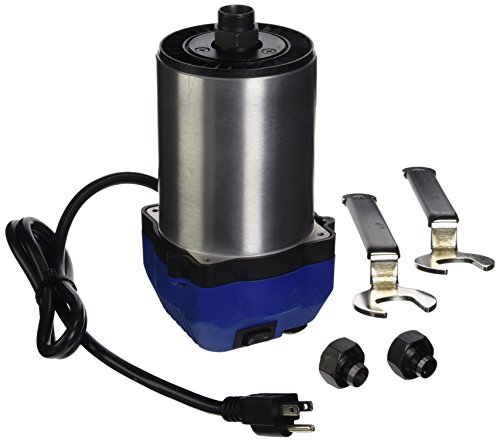
Delivers high-power routing performance with a 3-1/4 HP motor rated at 15 amps for demanding router table and lift applications.
Frequently Asked Questions
Can Variable‑Speed Routers Be Used Safely Outdoors in Damp Conditions?
Don’t worry — yes, but cautiously: I avoid damp use unless my router has waterproof housings and I plug into ground fault protection; I also keep plugs dry, use covers, and stop at the first sign of moisture.
Do Variable‑Speed Routers Affect Dust Collection Efficiency?
Yes — I’ve found variable-speed routers do affect dust collection efficiency: dust extraction and airflow dynamics change with RPM, so I’ll match speed to bit size and extractor power to maintain suction and minimize airborne debris.
Can Beginners Rely on Presets Instead of Manual Speed Selection?
Yes — I think beginners can use preset reliance to get safe, consistent results, but I’ll warn you it shouldn’t replace skill development; practice manual selection to learn material behavior, avoid mistakes, and extend tool life.
Are There Compatibility Issues With Third‑Party Collets or Bases?
Absolutely—there can be compatibility issues; I’ve seen mismatches wreck setups like a mini disaster. I check third party compatibility and collet tolerances carefully, because improper fit causes runout, vibration, and unsafe operation.
Do Variable‑Speed Routers Require Specialized Bits or Accessories?
No, they don’t require specialized bits; I use standard router bits, though I sometimes pick specific accessories needed like larger collets or soft-start modules for big cutters to match speed ranges and protect bits and motor.