You’ve just marked a stopped inlay in the middle of a board and hesitated: how do you rout a clean, flat-bottom pocket without wandering or tear-out? Or you’re trying to cut a shelf groove that must match a mating piece exactly and keep the depth consistent.
Most woodworkers rely on trial-and-error, wrong bits, or the wrong router base and blame the tool when results fail. This article shows you which router types to use for specific cuts, how to pick the right bit and base, and step-by-step setup and cutting techniques so your grooves, edge profiles, and inlays come out precise and repeatable.
It also covers simple fixes for common mistakes. It’s easier than you think.
Key Takeaways
Here’s what actually happens when you use a router for edge work: a router lets you cut clean profiles and decorative edges far faster than sanding and carving by hand, so you can finish a cabinet door in minutes instead of hours. For example, use a 1/2″ radius round‑over bit at 12,000–16,000 RPM and make two light passes (3–4 mm depth each) to get a smooth, tear‑free edge on oak without burning. The bit and speed matter.
If you’ve ever tried to cut joinery freehand, this explains why routers are helpful: swap in a straight 1/4″ bit or a 3/8″ dovetail bit and you can rout grooves, dados, and shallow mortises with repeatable accuracy for shelving and drawer slides. Real example: clamp a 3/4″ plywood shelf template, run a 1/4″ straight bit at 14,000 RPM in three passes (2 mm, 2 mm, 3 mm) to fit a shelf snugly. You’ll get consistent fits every time.
Think of the different router types like tools in a toolbox: a plunge router lets you start cuts in the middle of a panel, a fixed‑base gives a rigid reference for edge work, a palm router is great for small trim and detail, and a CNC router handles high‑volume or complex profiles automatically. I used a palm router with a 1/8″ chamfer bit to trim drawer fronts for a picture‑frame case; the handheld tool made quick work of the small fiddly areas. Choose the type that matches the job.
Before you route different materials, you need to control speed and cutting strategy because the wrong combo will burn edges or chip laminates. Set speeds: 18,000–24,000 RPM for small bits under 1/4″, 10,000–16,000 RPM for 1/2″–3/4″ bits, and use shallow multi‑pass cuts of 2–4 mm per pass on hardwoods like maple. For a laminate countertop edge, run a 1/2″ flush trim bit at 16,000 RPM with a template and make two passes, backing the laminate to avoid tearout.
You don’t need to replace bits constantly if you set up templates and fences and use carbide or specialty bits, because those give long life and repeatability for batch work. For instance, fit a 1/2″ carbide spiral bit and a shop‑made fence, rout 30 identical cabinet rails at 4 mm depth per pass, and you’ll keep the same profile across the whole run without frequent sharpening. Durability saves time and money.
When to Use a Router: Quick Decision Guide
Think of a router like a precise power chisel for edges and grooves.
If you’re deciding whether to use a router, here’s why it matters: you get cleaner, repeatable cuts than with a saw or chisel, which saves time and reduces sanding. Example: when you cut a 3/8″ groove for a cabinet shelf using a straight bit, you’ll get a flat-bottomed channel that fits the shelf snugly with minimal cleanup.
When to pick a router over other tools
Why this matters: choosing the right tool saves mistakes and material. Example: for making a 1/4″ round-over on a tabletop edge, the router gives a smooth profile in one pass that hand planes can’t match.
- Use a router for precise edge work: trimming laminates, cutting dadoes or grooves, and making decorative profiles.
- Use it for repeatable pattern work: mounting a pattern and running a bearing-guided bit gives identical parts.
- Avoid a router when you just need a quick rip or crosscut — a table saw is faster and safer for straight cuts.
Which router base should you use?
Why this matters: the base controls how you start and stop cuts, which affects safety and accuracy. Example: when cutting a centered mortise on a long table leg, a plunge base lets you drop the bit into the center without removing material first.
- Pick a fixed-base when you need consistent depth across long edges.
- Pick a plunge base when you must start in the middle of the workpiece or make stopped grooves.
How to choose speed and bits
Why this matters: speed and bit size change finish and safety. Example: when using a 1/8″ profile bit on hardwood maple, slow the router to about 18,000–20,000 RPM and take multiple shallow passes to avoid burning.
- Bit size: use smaller bits for fine detail (1/8″–1/4″), larger bits for stock removal (1/2″ shank for stability).
- Speed: higher RPMs (20k–24k) cut faster on small bits and softwoods; reduce to 10k–18k for large-diameter bits, dense hardwoods, or fine detail.
- Passes: make multiple shallow passes — for example, 1/16″–1/8″ per pass — instead of one deep cut.
How to feed and control the router
Why this matters: feeding the tool wrong causes tear-out and kickback. Example: when trimming a 1/4″ laminate with a flush-trim bit, always move the router against the bit rotation so the bit pulls the router toward the work, keeping the cut smooth.
- Always feed against rotation.
- Use a firm two-handed grip and keep the work clamped.
- Use a fence or straight edge for long runs to keep the cut true.
Basic safety steps you must follow
Why this matters: routers spin fast and can throw chips or grab the workpiece. Example: while rabbeting a bookshelf end panel, a dropped clamp can catch the spinning bit and ruin the panel or injure you.
- Wear eye protection and hearing protection.
- Secure your workpiece with clamps or a bench dog.
- Unplug when changing bits and check the collet is tight.
- Start the router off the work and only lower it into the cut when the bit is at full speed (plunge base) or move into the work steadily with a fixed base.
Quick setup checklist before you router
Why this matters: skipping setup leads to mistakes you can’t sand away. Example: when you set up a template for matching ten identical trim pieces, a loose template screw shifts the whole batch.
- Choose the right bit and shank size.
- Set depth in increments (for example, 1/16″ per pass).
- Clamp the work and test on scrap.
- Check RPM for bit diameter and material.
Follow these concrete steps and you’ll get cleaner profiles, fewer mistakes, and safer cuts.
Why Routers Make Cutouts, Grooves, and Inlays Easier

Here’s what actually happens when you use a router for cutouts, grooves, and inlays: it turns power into precise, repeatable material removal so your pieces come out clean and consistent.
Why this matters: clean, repeatable cuts mean your inlays fit without hours of sanding or chasing gaps. For example, when I rout a 3/8″ maple inlay into a walnut tabletop, the edges match on the first dry-fit.
How the spinning bit helps
- The router bit spins at high RPM and shears wood instead of tearing it, so you get smoother edges.
- Use 18,000–24,000 RPM for small-diameter bits (1/8″–1/4″) and 10,000–18,000 RPM for larger bits to avoid burning.
- A straight cut with a sharp bit will leave a 0.5–1 mm cleaner edge than a dull one.
How to use a template guide to duplicate shapes
Why this matters: templates let you make the same shape dozens of times without freehand mistakes.
Example: copying a 4″ wooden knob pattern for ten dresser drawers.
Steps:
- Clamp the template firmly with at least two 3″ clamps so it can’t shift.
- Fit a bearing-guided straight bit sized so the bearing rides the template while the cutter matches the desired cut—use a 1/4″ cutter for a 1/4″ groove.
- Rout with the bearing against the template, moving left-to-right for handheld routers or following the feed direction on a table router.
- Make two light passes rather than one deep pass; reduce material by 3–4 mm per pass for hardwoods.
Plunge cuts and starting in the middle
Why this matters: plunge routers let you start a cut in the middle of a panel safely and accurately, so you can make pockets and inlays without drilling starter holes.
Example: cutting a 2″ square pocket for an electronics module in a 1/2″ plywood faceplate.
Steps:
- Set the plunge depth stop to the final depth (for a 1/8″ inlay, set 3 mm).
- Start the router away from the work, plunge down into the wood, then move to the cut location.
- Use a spiral bit for clean entry and leave 0.5–1 mm for a final finishing pass.
Adjustable depth for repeatability
Why this matters: repeatable depth means each piece aligns and fits the same way every time.
Example: routing a 2 mm rebate on ten cabinet doors.
Steps:
- Use the router’s depth stop or a micro-adjustable turret to set the first pass at half the final depth.
- Test cut on scrap to confirm depth.
- Lock the depth and repeat across all doors; you should be within ±0.2 mm if the setup didn’t move.
Choosing the right bit and feed rate to reduce tear-out
Why this matters: the wrong bit or speed creates tear-out that ruins edges and wastes time.
Example: using a down-cut spiral bit on veneered plywood prevents lifting the veneer along the edges.
Steps:
- Pick the bit profile for the job: straight for grooves, rabbeting for edges, dovetail for joinery.
- Match feed rate to bit size—feed slower with larger bits (e.g., 3–6 m/min for 1/2″ cutters) and faster with small bits.
- Do a climb cut or use a backer board to prevent splintering on the exit side.
Clamping templates and workpieces
Why this matters: movement ruins accuracy and creates mismatched fits.
Example: routing three identical inlay pockets in a jig-made batch where a single slipped clamp would spoil all three.
Steps:
- Use at least two clamps on the template and at least one sacrificial clamp on the workpiece if needed.
- Check for any wiggle—if the template moves under finger pressure, add another clamp.
- Re-check clamps after the first pass.
Final practical checklist before you rout
Why this matters: a quick checklist avoids common mistakes that cost time.
- Sharp bit installed and tightened.
- Depth set and tested on scrap.
- Template and workpiece clamped.
- Proper RPM and feed rate chosen.
- Dust collection running and eye/ear protection on.
If you follow those steps, you’ll get cleaner edges, repeatable depths, and inlays that fit on the first try.
Choosing the Right Router Type (Fixed, Plunge, Palm, CNC)

If you’ve ever stood in a shop staring at a wall of routers, this is why choosing the right type matters: it changes how precise your cuts are and how fast you can work.
Fixed-base routers: Why this matters — you need steady depth for repeatable edge profiles and trim work. Use a fixed-base router when you’re doing edge profiling, template work, or multiple shallow passes; set the depth once and make repeated passes without fuss. Real example: when I made a set of 12 matching cabinet doors, I set a 1/4″ roundover bit and ran each door edge in a single setup. Steps: 1) Clamp the door; 2) Set the depth to 1/4″; 3) Run the router along the fence at 1/3–1/2 the router’s max speed. It’s a great choice for collaring, trimming, and consistent results.
Plunge routers: Why this matters — you can start a cut in the middle of a board for grooves or inlays. Use a plunge router for mortises, stopped grooves, and inlay pockets where you need vertical entry. Real example: cutting a 3/8″ deep slot for a sliding door track in the middle of a 2×8 plank. Steps: 1) Mark and clamp the plank; 2) Set the plunge depth to 3/8″; 3) Make multiple passes, increasing depth by about 1/8″ each time; 4) Clear chips often. You get controlled entry and safer plunge-only cuts.
Palm routers: Why this matters — you want a light, nimble tool for detail work and small projects. Use a palm router for trim, small-roundovers, and pattern work on thin stock; it’s easy to steer with one hand. Real example: trimming vinyl edge banding on a bookshelf face where a big router is awkward. Steps: 1) Fit a flush-trim bit; 2) Hold the workpiece on a sacrificial board; 3) Move at a steady pace, about 6–10 inches per second. You’ll get quick detail work without fatigue.
CNC routers: Why this matters — you want repeatable, complex shapes and high precision for production. Use CNC when you need dozens of identical parts, cut files, or intricate profiles that are hard to do by hand. Real example: cutting 40 identical signs with a 3 mm profile and carved lettering from MDF using a CAM file. Steps: 1) Create or import the vector/CAM file; 2) Secure the sheet to the bed with screws or vacuum; 3) Run a test piece at reduced feed to verify settings; 4) Run the batch at the recommended feed and spindle speed. You get automation and repeatability for batch work.
Matching power and size: Why this matters — the wrong motor or bit size stresses the tool and ruins the cut. Use larger routers (1.5–2.25 HP or higher) for big bits (1″–2″) and hardwood; use 1–1.25 HP palm routers for bits under 1/2″ and light stock. Real example: don’t use a 1/4″ trim bit in hardwood with a tiny router at full depth; instead, take shallower passes or upgrade to a 1.75 HP router. Steps: 1) Pick bit diameter; 2) Match router HP to bit and material; 3) Adjust feed rate so chips clear.
Safety and practical tips: Why this matters — router mishaps cost material and fingers. Always use sharp bits, clamp work, and wear eye and hearing protection. Real example: a dull 1/2″ spiral bit grabbed a poorly clamped board and burned the edge; sharpening or replacing the bit and adding a push block fixed it. Steps: 1) Inspect and replace dull bits; 2) Use firm clamping and a guard or fence; 3) Make test cuts on scrap.
Pick the style that fits the job, match motor power to bit size and material, and you’ll get cleaner cuts with less rework.
Recommended Products

Weight: 7.8 kg

SAWSTOP PATENTED SAFETY SYSTEM: Stops a spinning blade on contact with skin. The blade stops in less than 5 milliseconds, and drops below the table, minimizing a potentially life-altering injury to a mere scratch.

Ergonomic handle with full-grip is designed for increased control and reduced fatigue with power switch and speed control at the fingertips.
Router Bits and the Results They Deliver (Straight, Spiral, Flush, Carbide)

Here’s what actually happens when you pick a router bit: the bit choice directly controls cut quality and which projects you can finish.
Why this matters: picking the right bit saves time and avoids tear-out or poor fits. If you need clean grooves or simple edge trimming, use a straight bit. Example: to cut a 1/2″ deep groove for a cabinet shelf, set the plunge router to 1/2″, clamp the work, and make two passes at 1/4″ depth each. Straight bits cut square-sided channels and work well with plunge routers. A quick tip: keep your plunge speed steady at 3000–6000 RPM depending on bit diameter.
Think of spiral bits like a drill that drags chips away instead of packing them. Why this matters: spiral bits reduce tear-out and leave smoother walls so you spend less time sanding. For a visual example, imagine trimming the underside of a walnut tabletop—an upcut spiral will pull chips out, keeping the top clean. Match spiral direction to grain: use downcut for clean tops, upcut for chip removal, and compression when you need clean faces on both sides. Start with 1/8″ incremental passes for 1/2″ bits.
Before you route a pattern, you need to check the flush trim bearing. Why this matters: the bearing condition sets your pattern-following accuracy. Flush trim bits give pattern-following precision. Real example: when copying a jig for tenon cheeks from MDF, a worn bearing will shift your tenon by about 1/32″ per inch—replace bearings showing play. When routing, hold firm pressure against the pattern and use a steady feed of roughly 8–12 inches per second for a 1/2″ bit.
The difference between HSS and carbide-tipped bits comes down to edge life. Why this matters: longer-lasting bits mean fewer stops to resharpen and more consistent cuts in hardwoods. Carbide-tipped bits hold an edge longer and resist heat, making them ideal for production or hardwood work where longevity matters. Example: cutting 200 maple drawer fronts with a carbide bit will keep consistent cuts for dozens more pieces than HSS; expect carbide life measured in hours of run time rather than minutes. When using carbide, run slightly higher RPMs and avoid forcing the cut—make shallow passes (1/8″–1/4″) to preserve the edge.
Recommended Products

57 pieces of the most versatile CNC industrial quality high performance solid carbide carbide tipped and solid carbide insert router bits.
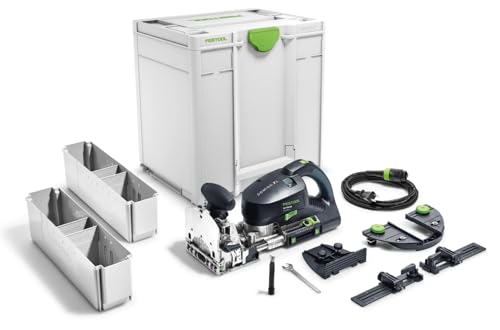
Unique, patented cutting action that rotates and oscillates to create perfect, clean, and repeatable mortises every time

SPECS – The Extended Slab Flattening Mill PRO has a slab capacity of 48.5" × 134". Rail lengths are 59" × 152". Includes (4) 76" rails, (2) 59" cross rails, (1) router sled with integrated dust collection, (4) slab clamping dogs, and all assembly hardware. Does not include plywood or MDF base.
Achieve Clean Joints & Edge Profiles: Setup, Bit Choice, Technique

Before you set up your router and workpiece, know this: a solid setup prevents messy joints and ruined profiles. If your clamping or fence is off by even 1/32” you’ll see it in the final fit. Example: when I made a 1/2″ groove for a glass panel, a loose clamp let the board shift 1/16” and the panel rattled.
1) How do you set up the router and workpiece?
Why it matters: setup determines whether your cut is accurate and repeatable.
Steps:
- Clamp the workpiece to a stable bench with parallel cedar cauls and 3 clamps spaced every 12–18″.
- Align the fence so the bit takes material where you want it; measure from the bit center to a fixed reference on the fence using calipers or a steel ruler, and lock the fence.
- Set depth in 1⁄16″ increments—start 1⁄16″ shallower than final, then add passes.
- Check bit collet tightness with the router unplugged; torque by hand until snug, then 1/8 turn with a wrench.
Real-world example: I clamped a 24″ cabinet rail with two cauls and set the fence using a 0.500″ spacer; the first pass was 1⁄16″ and removed 0.020″ more on the second pass.
2) Which router bits should you pick for joints and profiles?
Why it matters: the wrong bit changes fit and finish and can cause tearout.
Steps:
- Use a straight bit (1/4″ or 1/2″ cutters) for grooves and dados; choose the shank that matches your collet.
- Use a flush-trim bit with a bearing for template work and copy cuts; pick bearing size to match your template offset (bearing on the outside = zero offset).
- Use a roundover or ogee bit for decorative edges; pick a radius (1/8″, 1/4″, 3/8″) that suits the scale of the piece.
Real-world example: I used a 1/2″ straight bit to cut a 3/8″ deep slot for a floating shelf and a 1/4″ roundover with a 1/4″ radius for the visible front edge.
3) How should you cut joints to avoid tearout and heat?
Why it matters: light passes and correct feed reduce chipping and extend bit life.
Steps:
- Make multiple shallow passes—limit each pass to 1/16″–1/8″ depth for hardwoods, 1/8″–3/16″ for softwoods.
- Feed against the bit rotation—if your router spins clockwise, move the work left-to-right on a handheld cut.
- Keep speed steady; use 10,000–18,000 RPM depending on bit diameter (smaller bits faster, larger bits slower).
Real-world example: when cutting a mortise in oak, I cut three passes at 1/16″ each with a 1/2″ bit at 14,000 RPM and got a clean face with no burn.
4) How do you get crisp edges and hide minor imperfections?
Why it matters: a simple chamfer before final profiling hides nicks and helps finish adhesion.
Steps:
- Do a light chamfer pass with a 1/8″ or 1/16″ chamfer bit or a block plane to remove the square corner.
- Follow with your final profile (roundover, ogee) in one or two shallow passes.
- Sand with 220-grit only after all routing is done to avoid rounding crisp profiles.
Real-world example: on a kitchen cabinet door I removed the sharp 90° edge with a 1/8″ chamfer, then ran a 1/4″ radius roundover in two passes; the paint held better and the visible seam disappeared.
Final practical checks:
- Verify fence alignment and depth after the first pass.
- If you see tearout, reduce depth by half and increase passes.
- Replace dull bits; a bit that needs extra force is worn beyond salvage.
Keep your setup consistent and make measured, shallow cuts. You’ll get tight joints and clean profiles every time.
Recommended Products

Applicable Models : Aluminum Router Plate Dimensions are 11-3/4" X 9-1/4" X 3/8"thick, 19.1(3/4”) Radius. Designed for routers with 3-1⁄2-in.-dia of body.(Please check the size of our Router Lift to make sure if it matches your router motor and router table .(Multiple patents have already been applied for)

Premium Home Improvement Tool: Create fast, affordable, and easy beaded-face frames with the Precision Beaded Face-Frame System
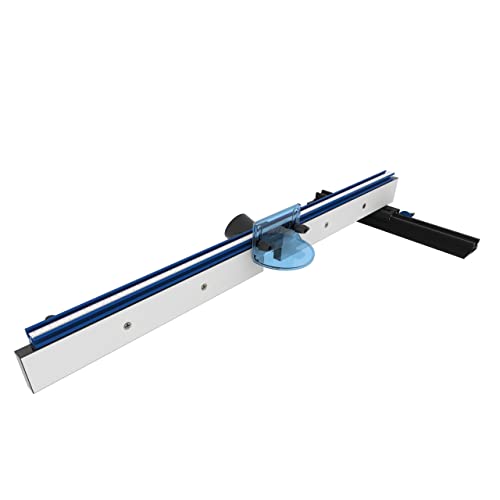
Premium Carpentry Tools: This router table fence is versatile, easy to install, and durable
Bit Materials, Coatings, and Lifespan: Durability Tips
Here’s what actually happens when you pick the wrong bit material or coating: your bit dulls fast, cuts burn or chip, and you replace tools more often than you should.
Choose the right bit material and coating, and you’ll extend tool life, keep cuts cleaner, and save money over time. For most woodwork, pick carbide-tipped bits — they hold an edge for 8–20 times longer than high-speed steel and cost about 2–4× more up front but save money over 6–12 months of regular shop use. Example: when you rout hardwood trim for a house, a carbide-tipped bit will stay sharp through several 8-hour days, while an HSS bit may need regrinding after one day.
Before you buy diamond-coated bits, know why they matter: they beat other coatings on abrasive materials like fiberglass, fiberboard, and ceramic tile because diamond resists grinding wear. For instance, cutting 1/4″ exterior tile with a diamond-coated bit keeps the edge intact far longer than TiN coatings do, so you avoid ragged edges and repeated passes.
Coatings reduce friction and help with heat by dispersing it, which prevents edge dulling. Use TiAlN or black oxide when you need heat resistance for high-speed cuts in metal, and use TiN only for general-purpose woodworking where lower friction matters. Example: drilling a 3/8″ steel pin at 3,000 RPM with TiAlN gives cleaner holes and fewer regrinds than the same drill with no coating.
Before you select bits, check abrasion resistance ratings and hardness numbers — harder coatings like DLC or diamond resist gritty wear from dirty materials. If you cut particleboard or plywood with sand or grit, choose diamond-coated or DLC bits; you’ll reduce edge rounding and keep cuts cleaner during a full-day job.
Why maintenance matters: cleaning resin and checking coating wear keeps performance steady; otherwise your cuts will get tear-out and heat buildup. Steps to maintain bits:
- After every project, wipe bits with a rag and a little solvent to remove pitch and resin.
- Inspect under a bright light or magnifier for coating flaking or edge chipping.
- Recoat or replace when you see loss of the coating across 20% of the cutting edge.
Example: you route melamine cabinets for a day, then clean the bit and spot 30% coating loss — replace it before the next cabinet to avoid scorched edges.
You should run simple lifespan tests so you know when to regrind or replace; here’s why that matters: tracking use prevents surprise failures in the middle of a job. How I do it:
- Record hours used per bit on a tag or in your phone.
- Note cutting results: clean, slightly dull, or needs regrind.
- Replace or regrind when cutting goes from clean to slightly dull for two consecutive jobs.
Example: a 1/2″ carbide router bit lasted 24 hours of routing oak before cuts started showing fiber tear; I regrinded at 26 hours and resumed good cuts.
Proper storage and avoiding overheating during use further lengthen service life. Store bits in foam racks or labeled cases to prevent bangs and moisture, and keep feed rates steady so you don’t stall or overheat the bit — for example, push a 1/4″ plywood cut at 200–300 inches per minute on a CNC or use slower plunge rates on hand tools to keep temps down.
Recommended Products


Designed for creating signs and other CNC projects in a variety of materials.

Practical Projects and Troubleshooting: Cabinets, Inlays, Common Fixes
If you’ve ever started a cabinet or inlay project and hit a snag, this will help.
Why this matters: getting alignment and router setup right saves time and prevents ruined pieces. I check cabinet alignment with a 48-inch straightedge and thin plywood shims, making sure door gaps are within 1/16 inch before cutting. Example: for a 30-inch cabinet face, I slide a straightedge across the stiles and add a 1/32-inch shim behind the hinge side to remove a visible twist.
How to set up cabinets for routing:
- Check alignment: hold a 48-inch straightedge across the cabinet face and mark the high spot.
- Shim: insert 1/32–1/8-inch shims behind hinges or runners until gaps are consistent to 1/16 inch.
- Lock the cabinet: clamp it to a stable table with two 12-inch bar clamps.
- Set router depth: lower the bit to leave 0.010–0.020 inches of material on the cut face to avoid tear-out.
- Test cut: make a 1-inch trial pass on scrap plywood from the same sheet.
Why this matters: inlay masking and correct recess depth keep your surface clean and ensure the inlay sits flush. I use low-tack inlay masking tape and cut recesses 0.020–0.040 inches deeper than the insert so glue has room without bulging. Example: for a 3-inch diameter wooden medallion, I tape the surrounding veneer, route a 0.125-inch recess, then set the bit 0.020 inches deeper for a clean fit.
How to do inlays step by step:
- Mask: apply low-tack inlay tape extending 1 inch beyond the layout.
- Layout: trace the insert onto the tape with a fine-tip pencil.
- Cut recess: rout the perimeter, then remove material to the final depth, leaving 0.020–0.040 inches clearance.
- Test-fit: drop the insert in and check for gaps; file edges if tight.
- Glue and clamp: use thin CA or wood glue, clamp lightly, then remove tape after cure.
Why this matters: small fixes keep your tools cutting cleanly and your work looking professional. For example, when a cabinet edge had a 1/8-inch scorch line from a slow cut, I removed it with 120-grit sanding and a light pass with the router to restore the profile.
Common fixes you can do:
- Remove burns: sand with 120 grit, then finish with 220.
- Swap bits: trade a high-speed steel bit that shows a burr for a carbide-tipped bit of the same profile.
- Reset fences: if a cut drifts more than 1/32 inch, loosen the fence, realign to a measurement (use calipers), and retighten.
- Reduce tear-out: take multiple passes, each removing 1/16–1/8 inch, rather than one heavy cut.
Why this matters: routing technique extends bit life and improves accuracy so you don’t waste money or material. When I’m trimming a door edge, I clamp the door, work toward the bit, and make three passes removing 1/16 inch each; it takes a bit longer but the bit stays sharp and the edge stays square.
Routing best practices:
- Secure the work: use at least two clamps and never hold a piece by hand while routing.
- Control feed rate: feed at roughly 1/4–1/2 inch per second for straight cuts with a 1/2-inch bit.
- Multiple light passes: set each pass to remove 1/16–1/8 inch of material.
- Bit care: after 30–60 minutes of heavy cutting, wipe bit with a rag and inspect for buildup.
Final actionable detail: keep a spare carbide bit for each profile you use, and label them by size so you can swap immediately when a cut degrades.
Recommended Products
SPECS - The Basic Slab Flattening Mill Pro has a slab capacity of 48.5" x 58". The rail lengths are 59"x76". Includes (2) 76" rails, (2) 59" cross rails, (1) router sled, (4) Slab Clamping Dogs and all assembly hardware. Does not include plywood or MDF base.

SPECS - The Small Slab Flattening Mill has a slab capacity of 24" x 48". The rail lengths are 33.25"x64". Includes (2) 64" rails, (2) 33.25" cross rails, (1) router sled, (4) Slab Clamping Dogs and all assembly hardware. Does not include plywood or MDF base.

INCLUDES - 48" Table, 48" Fence, Drawer Base, (2) Flip Stops, and (2) Knuckle Clamps.
Frequently Asked Questions
What Safety Gear Is Essential Beyond Goggles and Hearing Protection?
Of course you don’t need extra gear — said no experienced woodworker ever. I always wear a dust mask, face shield, sturdy gloves, non‑slip boots and a shop apron; they save fingers, lungs and confidence daily.
Can Routers Be Used on Metals or Plastics Safely?
Yes — I use routers for metal routing and plastic routing with care: slow speeds, appropriate carbide or aluminum-specific bits, secure clamping, coolant or chip evacuation, and PPE; avoid high-feed hardwood bits and excessive heat.
How Do Router Sounds Indicate Bearing or Bit Issues?
About 60% of failures start quietly — I’ll tell you: bearing noise often sounds like grinding or whining, while bit chatter is a rhythmic vibration or rasp; I’ll stop and inspect bearings, collet, and bit balance immediately.
Are Cordless Routers as Powerful for Professional Cabinetry?
Yes — I think cordless routers can match pros for cabinetry when battery technology and torque ratings are high, but I’d check runtime, heat management, and bit size capability to guarantee consistent power for production work.
What Maintenance Schedule Extends Router Motor Lifespan?
I recommend weekly inspections, monthly cleanings, and annual deep service: scheduled inspections, lubrication routines, brush checks, bearing replacements, and motor testing; I’ll keep records, I’ll follow manuals, and I’ll act promptly on any wear or wobble.