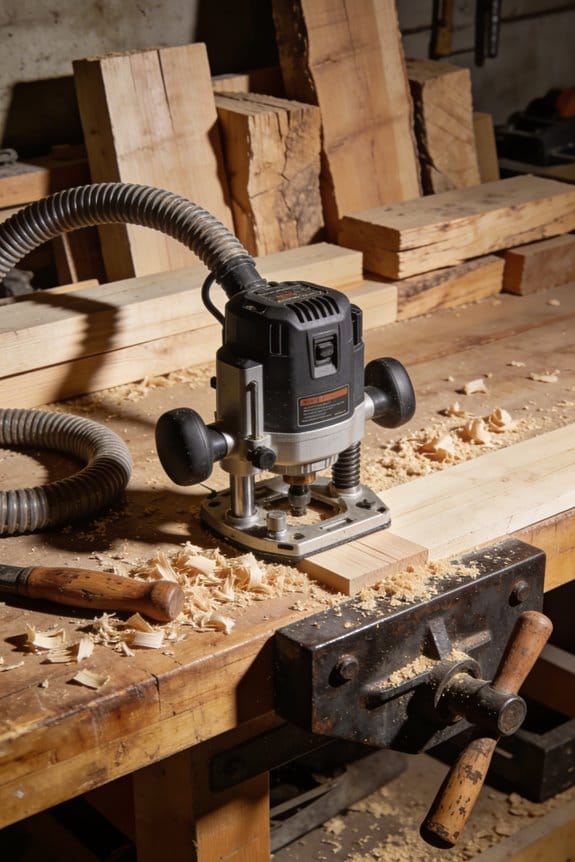
You clamp a rough-cut blank to the bench, slide a router and pattern over it, and suddenly the edges look chased instead of clean—why did the bit tear out the grain and wander off the line?
You’re asking why template routing keeps leaving ragged corners, inconsistent fits, or a different profile each time.
Most people assume the router or template is to blame and skip setup and testing.
This piece will walk you through how to make a stable template, choose the right bearing or guide bushing and bit, set RPM and feed, and test properly so your parts match and tearout disappears.
By the end you’ll rout repeatable, clean edges and save time on multi-part jobs.
It’s easier than it seems.
Key Takeaways
If you’ve ever hesitated to try routing, this is why. Routing matters because it gives you repeatable, clean edges and joinery that handheld sanding or chiseling can’t match. Example: cut a 1/4″ roundover on ten identical cabinet doors instead of sanding each one by hand.
- Perceived complexity: You think routing needs a lot of technical setup, but you can start simple. Step 1: buy one flush-trim bearing bit (1/2″ shank) and a 1/4″ pilot guide. Step 2: clamp a 3/4″ plywood template to your workpiece with two 6″ bar clamps. Step 3: run the router at 18,000 RPM and take 1/8″ passes. Try this on a scrap before doing your real part.
- Upfront cost and effort: Money matters because a bad purchase stops projects. Buy three bits: a 1/2″ straight, a 3/8″ roundover, and the flush-trim bearing, total about $40–$60. Make a template from 1/4″ hardboard and test cut on scrap for 5 minutes before committing.
- Invisible learning curve: You need to feel the router to avoid mistakes. Why that matters: wrong speed or feed causes tearout or burning. Example: when cutting maple, run the router at 20,000 RPM and push at about 6–8 inches per minute, making 1/16″ to 1/8″ passes until you reach final depth.
- Workshop constraints: Space and setup slow you down. You need a spoilboard (3/4″ MDF), two clamps, and at least 24″ of clear bench space beside the router table or handheld station. For handheld work, place your piece on a sacrificial 12″ x 24″ board to protect the table and hold the clamps 3″ from the template edge.
- Fear of mistakes: You worry about ruined parts because templates shift and bits dull. Prevent that with one clamp every 6–8 inches around the template and by checking bit sharpness: if you see browning after a short pass, stop and replace the bit. Example: when trimming dovetail plugs, clamp the template at three points and make two light passes instead of one deep cut.
What Template Routing Is : and When It’s Worth Using
If you’ve ever fitted dozens of identical drawer fronts, this is why.
Why it matters: template routing saves you hours on layout and gives every piece the same edge and profile. For example, when I made 24 identical shaker-style drawer fronts for kitchen cabinets, I used a 1/4″ pilot-bearing flush-trim bit and a plywood template clamped to each blank; that cut production time from about 10 minutes per front to roughly 4 minutes each.
What template routing is and how it works:
- A template is a stable pattern you clamp to your stock.
- A router bit with a bearing or a guide bushing rides along that template while the cutting edge trims the workpiece to match.
- Typical bearing sizes are 1/4″ or 1/2″ depending on the bit and the radius you need.
Real-world example: I cut consistent raised-panel edges for five cabinet doors by gluing a 3/4″ MDF template to each door and running a 1/2″ carbide bearing bit; every profile matched within about 0.02“.
When you should use a template:
- Use it when you need repeated accuracy (5+ identical parts is a good rule of thumb).
- Use it for complicated curves or profiles that are awkward to lay out by hand, like ogee moldings or nested cutouts.
- Use it when tight tolerances matter, like fitting door edges to a pre-cut frame.
How to template-route in 6 clear steps:
- Make the template from 1/2″–3/4″ MDF or hardwood; cut it slightly larger if you’ll sand later.
- Securely clamp or screw the template to the workpiece; use 3–4 screws for a 12″ piece and countersink them so they don’t interfere.
- Choose a router bit with the correct bearing or bushing; for outside trims pick a flush-trim bit with a bearing, for inside cuts use a guide bushing with a straight bit.
- Set router speed and bit depth: 1⁄8″–1⁄4″ passes for hardwoods, 1⁄4″–3⁄8″ for softwoods, and slow your RPM for larger-diameter bits.
- Rout in smooth, steady passes, moving against the bit’s rotation; keep light pressure and let the cutter do the work.
- Remove screws and clean up edges with 120–220 grit sandpaper if needed.
Real-world example: For a 20-piece crown molding run, I routed each piece in two passes—first removing most waste, then dialing in the final profile—using a 1/4″ depth per pass; this avoided tear-out and kept bit life long.
Costs and benefits, in plain numbers:
- Template materials: $10–$30 for MDF per template.
- Router bits: $20–$80 depending on quality; expect to replace after heavy use.
- Time savings: if layout takes 10–15 minutes per part by hand and routing cuts that to 4–6 minutes, you break even after making roughly 3–6 parts.
When it’s not worth it:
- For single, simple pieces where making a template would take longer than hand-layout.
- For extremely fine joinery where a jig or CNC might be better.
Final tip: mark your templates with grain direction and part numbers; that prevents mistakes when you’re doing runs of 10–50 parts.
Why Template Routing Still Feels “New” to Woodworkers

If you’ve ever avoided template routing because it seemed technical, this will clear things up.
Why it matters: templates make repeated parts identical, which saves you hours on multi-piece projects. A real example: you can rout ten identical chair seat recesses in under an hour using one plywood template and a bearing-guided bit.
Although template routing has been around for decades, you probably haven’t used it because you didn’t need perfect repeats for simple straight cuts; most hobby projects don’t require templates, so you never learned how to make or use one. If you want to try it, start by cutting a template from 1/2″ plywood, clamp the workpiece to the template with 3 or 4 3″ clamps evenly spaced, and use a 1/2″ router collet with a 1/2″ shank bearing-guided straight bit; take 1/8″ passes until you reach the final depth. This gives you consistent results without special jigs.
Why it seems hard: people worry about matching the right bit, holding pieces, and router control, which can feel technical and make you postpone trying it. For confidence, practice on scrap: glue a 3/4″ test blank to a 1/2″ template and run the router at 18,000–20,000 RPM using light, steady feeds — this builds feel and removes the mystery.
How templates become easy: once you understand that the bearing follows the template and the bit removes material, setup is mostly clamping and bit choice. A concrete workflow: 1) draw the full-size pattern, 2) cut template from 1/2″ plywood with a bandsaw, 3) fasten template to work with double-sided tape plus two clamps, 4) rout with a bearing-guided bit in 1/8″ passes, 5) sand edges with 120 grit. You’ll be faster on the next project because the same template works again.
Practical tips you can use now: always use a bit with a bearing diameter matching your offset goal, label templates with orientation and material thickness, and keep a scrap test so you can verify fit before routing the real parts. For example, label the template “Seat Recess — 3/4″ pine” in pencil on the back so you don’t mix it up later.
Common Obstacles Hobbyists Hit With Template Routing

If you’ve ever tried routing with a template and things went sideways, this will explain the common faults and how to avoid them.
Why it matters: fixing these problems saves you scraps and hours. Example: I ruined a walnut apron by using a dull bit and had to re-cut the joint twice.
1) You don’t control feed rate well
Why this matters: a bad feed rate causes tearout or burning.
How to fix it:
- Set your router speed to match the bit — 1/4″ bits at 18,000–22,000 RPM, 1/2″ bits at 12,000–16,000 RPM, and bits over 3/4″ at 8,000–12,000 RPM.
- Feed the router at roughly 2–5 inches per second for hardwoods; slow to 1–2 in/s when making a final pass.
- Use multiple light passes: remove no more than 1/8″ of material per pass on hardwoods, 1/4″ on softwoods.
Real example: when cutting a maple edge profile, I ran a 1/4″ bit at 20,000 RPM and fed at 3 in/s in three passes to get a clean edge.
2) You pick the wrong bit
Why this matters: wrong bits give rough edges or gaps.
How to fix it:
- Use a flush-trim with bearing for template edges; use a straight bit for mortises and a spiral upcut for clean chip removal.
- Match shank size to your collet — never use a 1/4″ shank in a 1/2″ collet or vice versa.
- Replace bits after 8–12 hours of heavy cutting in hardwood, or sooner if you see burn marks.
Real example: switching from a generic straight bit to a carbide spiral upcut fixed tearout on oak shelves after the second test cut.
3) Your template shifts or isn’t clamped right
Why this matters: any movement ruins the fit and wastes stock.
How to fix it:
- Use at least three clamps around the template; for small templates use double-sided tape plus at least two claps, for larger templates add sacrificial clamps at corners.
- Check alignment by marking two matching reference points on template and stock and verifying before each pass.
- Do a 1/16″ shallow test cut to confirm nothing moves.
Real example: I avoided a misaligned hinge mortise by taping the template, then adding two F-clamps and checking the reference marks before trimming.
4) Bearings or router base are wrong
Why this matters: incorrect offset causes overcuts or gaps.
How to fix it:
- Verify the bearing contacts the template fully; spin it by hand before cutting to check for wobble.
- If using a router with an offset base, measure the offset and account for it in your template or cut depth.
- Make a scrap test cut and measure the result; adjust bearing position or base until the fit is exact.
Real example: I got an undercut on a tenon until I realized the router base had a 1/16″ offset; moving the bearing solved it.
5) Bits are dull or speeds are wrong
Why this matters: dull cutters increase tearout and burn.
How to fix it:
- Keep a simple sharpening/inspection schedule: inspect bits before each session and replace if you see rounded edges or burn.
- Reduce RPM when using larger diameter cutters and increase RPM for small cutters within the ranges above.
- Use light passes when the grain runs across the cut—plan the direction so the cutter cuts into the grain rather than lifting it.
Real example: on a pine drawer front with cross grain, I used light passes and a sharp spiral bit to avoid fuzzy edges.
Practice and checks prevent most problems
Why this matters: small routines stop big mistakes.
How to fix it:
- Always do a full setup test on scrap — clamp, check bearing, spin the bit, run one light pass, then inspect.
- Write down the settings that worked (RPM, feed speed, bit type) and keep them near your bench.
- Gradually push limits: increase cut depth or speed only after successful tests.
Real example: my notebook of successful settings saved me from re-cutting five cabinet doors when I switched from poplar to birch.
Follow these steps and you’ll waste fewer pieces, cut cleaner joints, and finish faster.
Recommended Products
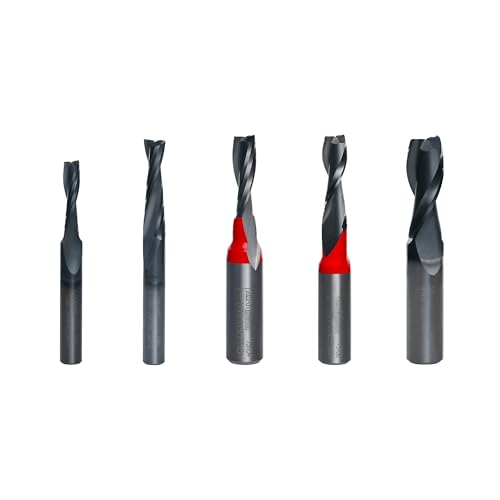
Specs: Shank Dia. 1/4", 1/2"
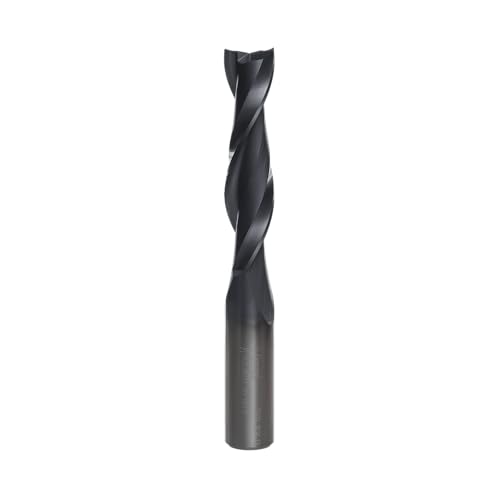
Specs: Number of Cutters 2, Overall Dia. 1/2", Overall Length 4", Shank Dia. 1/2", Carbide Height 2-1/8"

Perfect Size Heavy Duty Carbide Insert Flush Trim Router Bit : 65mm cutting length, 32mm cutting diameter, 1/2" shank, 12pcs (12mmx12mmx2.2mm) carbide inserts
Simple Workshop Setups and Template Choices That Remove Friction

Here’s what actually happens when you set up routing templates the right way: your work moves faster and you make fewer mistakes.
Why it matters: consistent templates cut rework and save minutes on every part. Example: when I needed eight identical dadoes for a bookshelf, a simple MDF template let me run all eight in 20 minutes instead of an hour.
1) How should you arrange your bench for routing templates?
Why it matters: a predictable layout keeps the router steady and your hands safe.
Steps:
- Clear a 24-inch wide approach area on the bench so the router can enter and exit without hitting clamps.
- Place a sacrificial fence at the back, clamped 1/8 inch below the template plane to protect edge cuts.
- Set up a flat spoilboard under your template—use a 3/4-inch plywood sheet screwed down in a grid every 6 inches.
Real-world example: I set a 24-inch approach and spoilboard when making ten identical routered shelf grooves; the router never caught an edge and each groove matched within 0.02 inch.
2) Which template material should you choose?
Why it matters: the wrong material warps or chews bearings and wastes time.
Steps:
- Use 1/4-inch MDF for most templates—cut it with a flush-trim bit and sand edges with a 120-grit block.
- Use 1/2-inch plywood when you need extra support for long straight runs over 12 inches.
- Replace templates after about 50 routed edges or when you see 0.010–0.015 inch wear at the bearing contact.
Real-world example: for a 36-inch sign I used 1/2-inch plywood and avoided the wobble MDF showed on that span.
3) How do you hold small templates without clamps?
Why it matters: clamps can block the router and create pinch points.
Steps:
- Drill 1/4-inch holes in the template and matching holes in the workpiece and use removable dowels cut 1/16 inch below the template surface.
- Alternatively, use 3M double-sided tape strips 1/2 inch wide placed at both ends and one center strip; press for 30 seconds before routing.
- Test pull on the template with 10 pounds of force before turning the router on.
Real-world example: I taped a 6×6-inch template to a curved panel for a cabinet door and ran five parts without ever moving a clamp.
4) How should you orient grain and mark parts to avoid tearout?
Why it matters: grain direction and marking prevent fuzzy edges and mismatched mirrored parts.
Steps:
- Mark grain direction and arrow the feed direction on every part with a pencil and a 1-inch piece of blue tape.
- Route curved or mirrored pairs with the cutter moving against the grain on approach; if routing across grain, use a climb-cut for the final pass at half depth.
- Make a test cut on scrap the same species and thickness before you touch the production pieces.
Real-world example: while routing three pairs of mirrored drawer fronts in quarter-sawn oak, a test climb-pass at 1/16 inch eliminated tearout and the pairs matched perfectly.
5) What about router entry and exit technique?
Why it matters: smooth engagement avoids chatter and burns.
Steps:
- Start with the bit 0.02–0.04 inch above the template, plunge at a steady 20–25% of max speed, then engage the template bearing.
- Keep the router moving at a constant pace; for 3/8-inch bits on 3/4-inch stock, aim for 60–90 inches per minute feed speed.
- Back out of the cut on a straight run before turning off the router.
Real-world example: using these numbers, I routed dozens of hinge mortises with a 3/8-inch straight bit and never had scorch marks.
Final practical tip: label each template with the bit size and number of passes—write it in permanent marker on the tool side—so you or anyone else on the bench gets the right setup every time.
Five Starter Projects and Workflow Tips to Build Confidence

Before you start complex builds, here’s what actually happens when you practice with small template-routing projects: you learn one repeatable skill at a time and avoid compounding mistakes. Doing this matters because each technique — trimming, following curves, cutting profiles, making clean mortises, and repeating parts — shows up on bigger projects and saves hours of rework.
1) What five starter projects should you make?
Why it matters: you get specific, repeatable practice on the most common router tasks.
Real-world example: do a tray you can pass to a friend to show them the curve work.
Steps:
- Straight-edged shelf — cut a 12″ x 6″ shelf from 3/4″ maple and a 1/4″ MDF template the same size; use a 1/2″ flush-trim bit at 1/8″ depth per pass.
- Rounded-corner tray — make a 10″ x 8″ tray with 1″ corner radii, clamp a 1/4″ MDF guide, and use a 1/4″ guide bushing with a 1/4″ bit.
- Small molding strip — rout a 1″ x 6′ poplar strip using a 1/4″ ogee bit at 2 passes: rough then finish.
- Routed mortise sample — cut a 2″ x 2″ mortise in a 3/4″ board with a 3/8″ straight bit, stepping 1/8″ per pass until flush.
- Duplicate drawer front — copy one 12″ x 6″ front three times using a 1/2″ pattern bit and compare fit.
2) How do you set up a basic workflow?
Why it matters: a repeatable workflow prevents mistakes and saves time.
Real-world example: when I made ten cabinet doors, the same five-step routine saved me two afternoons.
Steps:
- Design template on paper or CAD to exact dimensions.
- Cut the template from 1/4″ MDF; clamp with three clamps per template.
- Clamp and test on a scrap piece first — route one corner to confirm fit.
- Route final parts using the same bit and feed rate you tested.
- Inspect and measure each part with calipers or a combination square; record deviations.
3) What specific things should you track during practice?
Why it matters: tracking reveals when your bits or technique are causing variation.
Real-world example: I logged bit wear and realized my finish pass rate needed to slow by 25% after 12 hours of use.
Steps:
- Note bit type, diameter, and brand.
- Record feed speed (e.g., 3–4 ft/min for hardwood with a 1/2″ bit) and RPM (e.g., 16,000).
- Mark grain direction and whether tear-out occurred.
- Log bit life hours and replace when you see consistent burn or rough edges.
4) How should you treat and organize these practice pieces?
Why it matters: labeled, measured practice pieces become a reference you can compare later.
Real-world example: I labeled ten samples by date and problem; when a joint failed, I checked the sample from that day and fixed the feed rate.
Steps:
- Label each piece with project name and date using a Sharpie on the back.
- Keep a one-page log for each piece: bit used, settings, and lessons learned.
- Store samples flat in a shallow bin so they don’t warp.
5) What quick checks prevent common errors?
Why it matters: short checks catch problems before they ruin the whole batch.
Real-world example: a 30-second clamp-check saved me from routing a warped template twice.
Steps:
- Confirm clamps are parallel and tight — check before each run.
- Run a 1″ test pass on scrap to verify depth and profile.
- Measure one finished part against the template before continuing.
Final practical tip: pick one project, do it three times on consecutive days, and compare results. You’ll see measurable improvement after the third try.
Recommended Products

PRECISION HINGE ROUTING SYSTEM: Designed to recess hinges accurately in timber doors and frames, helping achieve clean, consistent results for new door installations and replacement door work

The router combo kit (1617EVSPK) has a 12 AMP motor with adjustable speed dial allowing user to set optimal speed from 8,000 to 25,000 RPM.
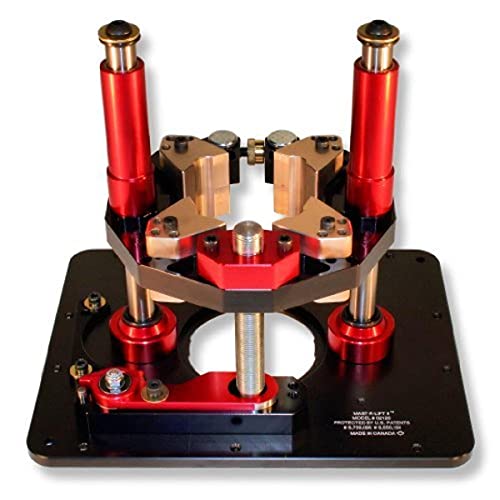
Includes Mast-R-LIft II, 3 Insert Rings (1-3/8", 2", & 2-1/2"), 1 Insert Wrench, 1 Crank Handle, 10 Stainless Steel Set Screws with Blue Nylok Patch, 4 Mounting Screws
Frequently Asked Questions
Can Templates Be Reused Across Different Projects or Only for Identical Parts?
They can be reused: I use interchangeable templates for identical parts and adapt templates for decorative variations, tracing or tweaking edges to suit new projects, so one template often serves multiple roles instead of just identical repeats.
How Do I Store Templates to Prevent Warping Over Time?
I store templates sealed flat in a climate controlled shop, and I stack them between sheets of MDF or plywood with light weights, avoiding direct sunlight and floor contact so they won’t warp over time.
Can I Cnc-Cut Templates Instead of Making Them by Hand?
Yes — I CNC-cut templates for CNC precision and repeatability; I stress proper material selection like ¼-inch MDF or cabinet-grade plywood, and I clamp/store them flat to avoid warping and guarantee long-term accuracy.
What’s the Fastest Way to Transfer a Template Shape to Plywood Veneers?
Like tracing a shadow, I’d stick transfer paper under the template, clamp it, and scribe; for veneers I’ll also mark and apply temporary edge banding to protect edges, then cut and clean up for perfect matches.
Are There Legal/Design Concerns When Copying Commercial Shapes With Templates?
Yes — I worry about copyright risk and trademark considerations when copying commercial shapes; I avoid reproducing branded designs without permission, and I seek licenses or alter designs to reduce legal exposure before using templates.